
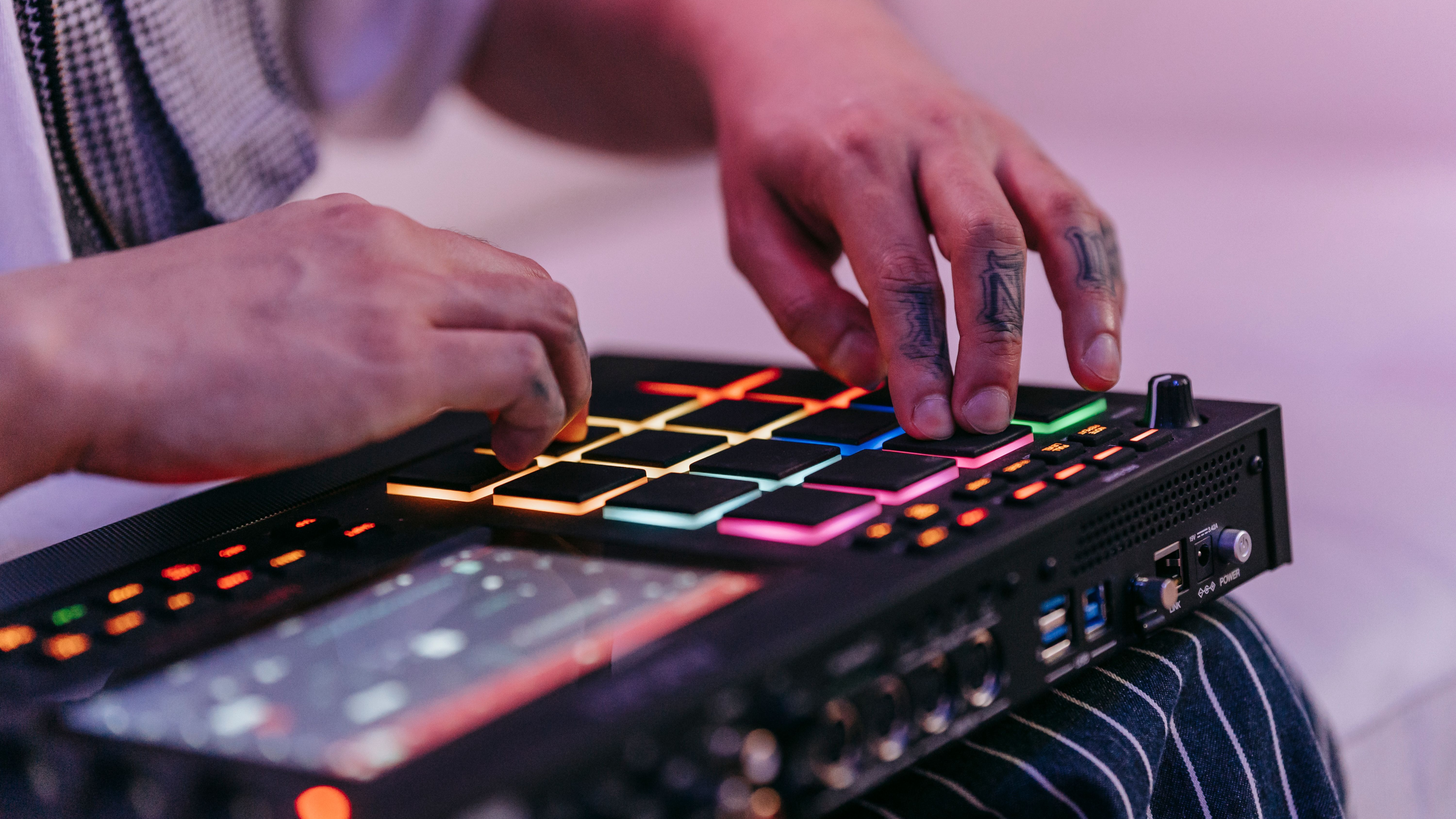
Beat making at home used to mean a thousand dollars of gear and a soundproofed basement. It does not anymore. The barrier now is taste and finishing, not equipment.
Quick answer: To make beats at home you need a laptop, a DAW, headphones or monitors, and a MIDI controller. Everything else is optional, and the most common mistake we see is buying more gear instead of finishing more beats.
TL;DR
The minimum kit for making beats at home is a computer, a DAW, headphones or monitors, and a MIDI keyboard. You can be set up for under $300.
Your DAW is the biggest decision. FL Studio, Ableton Live, and Logic Pro each shape how you work in different ways.
Room treatment matters more than expensive speakers. A treated room with cheap monitors beats an untreated room with expensive ones.
Most beginner beats sound rough because of mixing and levels, not gear.
Cryo Mix handles the mix and master step in the browser once your beat is arranged, so you can spend your time writing.
What do you actually need to start making beats at home?
You need four things: a computer that can run a DAW, the DAW itself, a way to hear what you're doing (headphones or studio monitors), and a way to play in melodies and drums (a MIDI keyboard, a finger drumming pad, or your laptop keyboard in a pinch).
Most newer laptops are powerful enough. If you're buying, prioritize 16 GB of RAM and an SSD over flashy specs. CPU matters less than people think for hip-hop, lo-fi, and most electronic genres.
The thing nobody tells beginners: you do not need a vocal mic, an instrument, an audio interface, or expensive plugins to start. Add them when a specific limitation forces you to, not before. The producers we know who finish the most music are the ones who stayed minimal for the first year.
Which DAW should you choose for beat making?
Your DAW (digital audio workstation) is the software where the beat gets built. The "best" DAW depends on how you want to work.
DAW | Why choose it | Why not | Best for |
|---|---|---|---|
FL Studio | Pattern-based workflow, lifetime free updates, deep MIDI editor | Less natural for recording live instruments | Hip-hop, trap, EDM, anyone who likes building loops first |
Ableton Live | Session view for sketching, strong sound design, fast workflow | Stock instruments less inspiring out of the box | Electronic producers, live performers, sound designers |
Logic Pro | Massive built-in sound library, polished interface, one-time price | Mac only | Mac users, melodic producers, anyone who wants a complete kit on day one |
Reaper | Cheap, lightweight, endlessly customizable | Unopinionated, you build the workflow yourself | Tinkerers, low-spec computers, budget setups |
Studio One | Drag-and-drop everything, friendly modern interface | Smaller third-party ecosystem | Producers coming from other creative software |
Pick one and stay with it for six months. DAW-hopping is the single biggest reason beginners never finish anything. The workflow muscle memory you build in your first DAW is worth more than any feature you'd get from switching.
A note on stock content: Logic and FL ship with usable instruments and drum kits. Ableton's stock library is more abstract. Reaper ships with almost nothing, so plan to add free packs. On a tight budget, that ships-with-it library is worth real money.
How do you set up a home studio for making beats?
You do not need a "studio." You need a quiet corner where you can hear honestly.
Speakers versus headphones
Studio monitors give you a wider stereo image and let you feel low end, which matters for beats. But they reflect off your walls and lie to you in untreated rooms. Headphones isolate you from that problem at the cost of a slightly unnatural stereo field.
A realistic order for most beginners: a pair of honest headphones first (the Audio-Technica ATH-M50x and Beyerdynamic DT 770 are common starting points), then add small monitors later when you have a treated space. Reverse the order and you'll spend months chasing a low end that isn't really there.
Acoustic treatment
You do not need a "soundproofed" room (that's about keeping noise in or out). You need an absorbent one. Soft furniture, a rug, curtains, and a few acoustic panels behind the speakers and at first reflection points will get you most of the way for a few hundred dollars. Sound on Sound has decades of practical writing on small-room acoustics if you want to go deep. The short version: kill reflections, do not deaden the room completely.
The audio interface question
You only need an interface if you're recording a microphone or instrument, or if you want lower latency than your laptop's built-in audio. For pure beat making with MIDI and samples, you can start without one. When you do upgrade, the Focusrite Scarlett Solo and SSL 2 are the obvious entry points.
Where do beats actually come from?
A beat is built from sound sources. There are three paths, and most producers use all three eventually.
Samples. Pre-recorded one-shots and loops. Splice, Loopcloud, and free packs from artists and labels are the standard. The fastest path to a finished idea.
Software instruments. Synths and drum machines inside your DAW. The free ones are often excellent: Vital, Surge XT, TAL-NoiseMaker, Spitfire LABS, and the Decent Sampler libraries cover a lot of ground without spending a cent.
Recording. Mics, guitars, your own voice through effects, field recordings. This is what makes your beats sound like yours instead of everyone else's Splice loops.
The trap is thinking you need more sounds. You almost certainly do not. Most beginner producers have ten times the library they need and ten times less skill arranging what they have. Constrain the palette and the music improves.
How do you structure a beat?
Structure depends on genre, but most modern beats follow a similar logic.
Start with the drums. A kick, a snare or clap, and hi-hats. Get a groove at the BPM you want.
Add a low-end element. A bass, an 808, a sub.
Add the harmonic and melodic layer. Chords, a sampled loop, a lead, a vocal chop.
Arrange. An eight-bar loop is not a beat. A beat has intros, drops, breaks, and variation.
If you cannot decide on a BPM and key, run a reference track through Cryo Mix's BPM and key detection and start in the same neighborhood. We built ours partly because we got tired of guessing.
How do you make beats sound professional at home?
This is where most beginners get stuck. The beat itself is fine. It just sounds smaller and duller than the references they admire. Three honest reasons.
1. Levels and gain staging
Most beginner beats clip, run too hot into the master, or have one element 6 dB louder than it should be. Before any plugins, get your faders right. The kick and bass should not fight, the hats should not stab your ears, and the master bus should peak comfortably under 0 dBFS with headroom to spare.
2. Mixing
Mixing is the craft of making the elements sit together. EQ carves space, compression controls dynamics, reverb and delay place things in a room, panning gives width. It's the step where most home-made beats reveal themselves.
You have two options: learn it slowly over years (worth doing) or use a tool that handles the basics so you can focus on writing. Cryo Mix's AI mixing fits here because it processes your beat stem by stem in the browser, shows you what it changed, and gives you plain-language control rather than a 40-band EQ.
3. Mastering and streaming levels
Mastering is the final polish: glue, loudness, tonal balance, and getting your beat ready for streaming platforms. Spotify normalizes to roughly -14 LUFS integrated, and pushing way past that means the platform turns you down and your dynamics suffer along the way. The details are public in Spotify's own loudness normalization documentation. A quick streaming levels check before you upload is cheap insurance, and it's the kind of thing we built into Cryo Mix's AI mastering.
Common mistakes when making beats at home
Buying gear instead of finishing tracks. New plugin syndrome will eat your weekends and your budget. The fix: a hard rule of finishing five beats with what you have before buying anything else.
Mixing as you write. Tweaking the kick EQ in bar four before the arrangement exists is a trap. The fix: write first in rough balance, mix later.
Working at the wrong volume. Mixing loud makes everything sound good. Mixing too quietly hides problems. The fix: aim for around 75 to 85 dB SPL, and always check at low volume before you finish.
Ignoring the room. A great pair of monitors in an untreated bedroom lies to you. The fix: treat the room before upgrading speakers.
Using one reference track. Comparing your beat to only your favorite track flatters your mistakes. The fix: pull three commercial references in your genre, loudness-matched, and A/B against your mix.
Skipping the master. Uploading a raw mix to streaming services leaves loudness, tonal balance, and platform compliance on the table. The fix: at minimum, run your final through a master and check it against Spotify, Apple Music, and YouTube targets.
How long does it take to get good at making beats?
A useful frame: you can make a passable beat in a weekend, a beat your friends like in a few months, and a beat that competes with streaming releases in one to two years of consistent work. Producers who plateau usually plateau on mixing and arrangement, not on melody.
There's no shortcut to taste. But there are shortcuts to the technical floor. Detecting BPM and key, getting a fast first-pass mix, checking your streaming levels: those are repetitive steps where AI tools genuinely save time without taking the creative call. Spend your hours on the parts that require taste, and let software handle the parts that do not.
Bottom line
Making beats at home in 2026 is cheaper, faster, and less gatekept than at any point in music history. You need a laptop, a DAW, headphones, and a MIDI keyboard. Everything else is optional, including most of the plugins you think you need. Finish more beats than you start, reference against commercial tracks, and treat the mix and master as part of the craft, not an afterthought.
When your beat is arranged and you want it release-ready without learning a year of mixing first, start mixing your track online with Cryo Mix.