Channel Character
Wah, Color, Destroy, Bit crusher, High beam and Air lift.
Last updated: 11/11/2026
| Knob | What it does |
|---|---|
| Wah | An auto-wah filter that sweeps as the track plays. |
| Color | Saturation. Higher adds more. |
| Destroy | Heavy distortion. Use it on purpose, because it can wreck the sound completely. |
| Bit crusher | Lowers the bit depth and sample rate for a lo-fi, crunchy sound. |
| High beam | Saturates and widens the top end (above about 6 kHz) and adds a short, dark room for a slightly live sound. A little makes a vocal sound less dry and more finished. |
| Air lift | Brings out breath and air in the top end without making it harsh. Loud esses are left alone. |
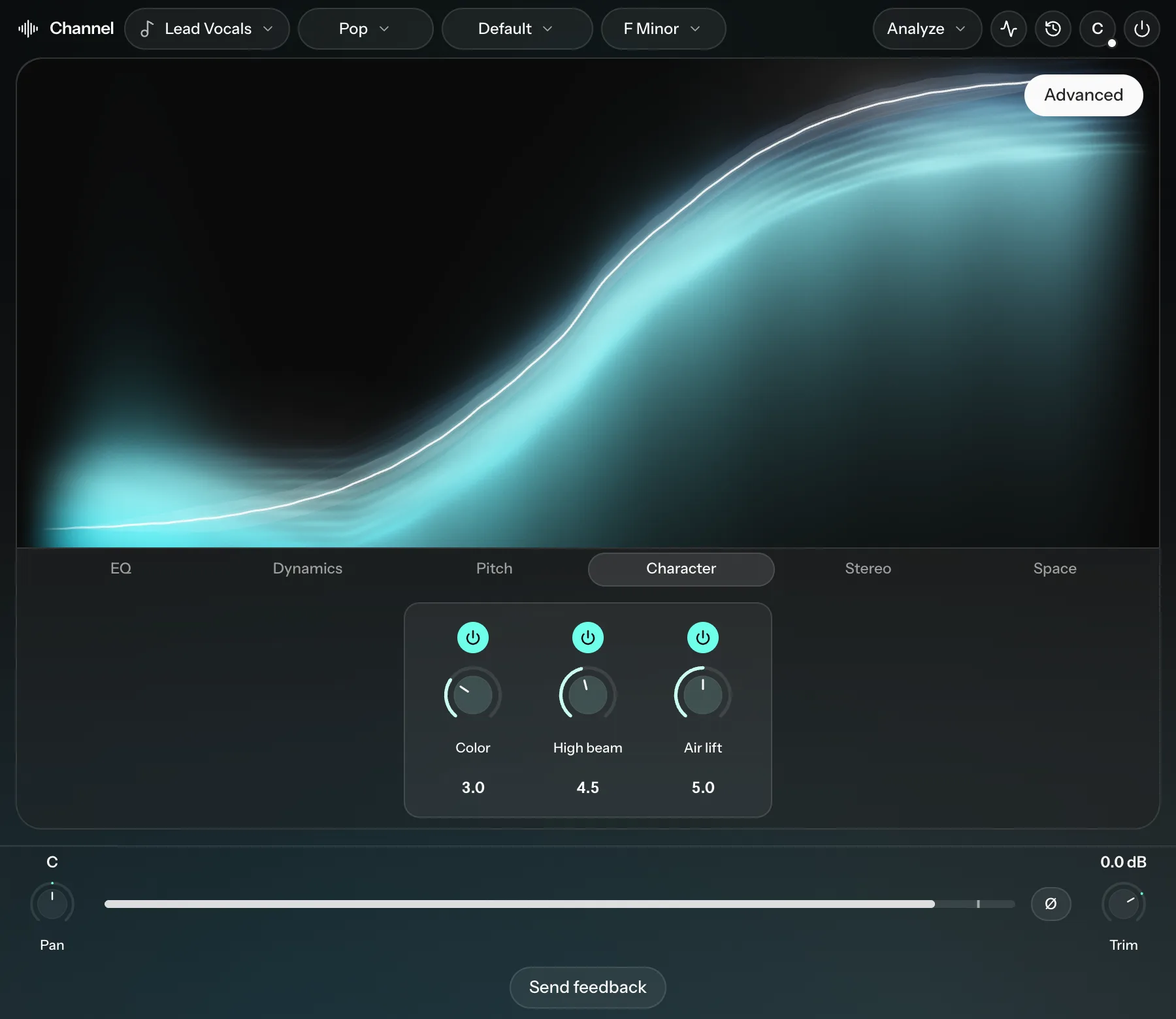
Destroy, Bit crusher, High beam and Air lift have no extra settings.
Color
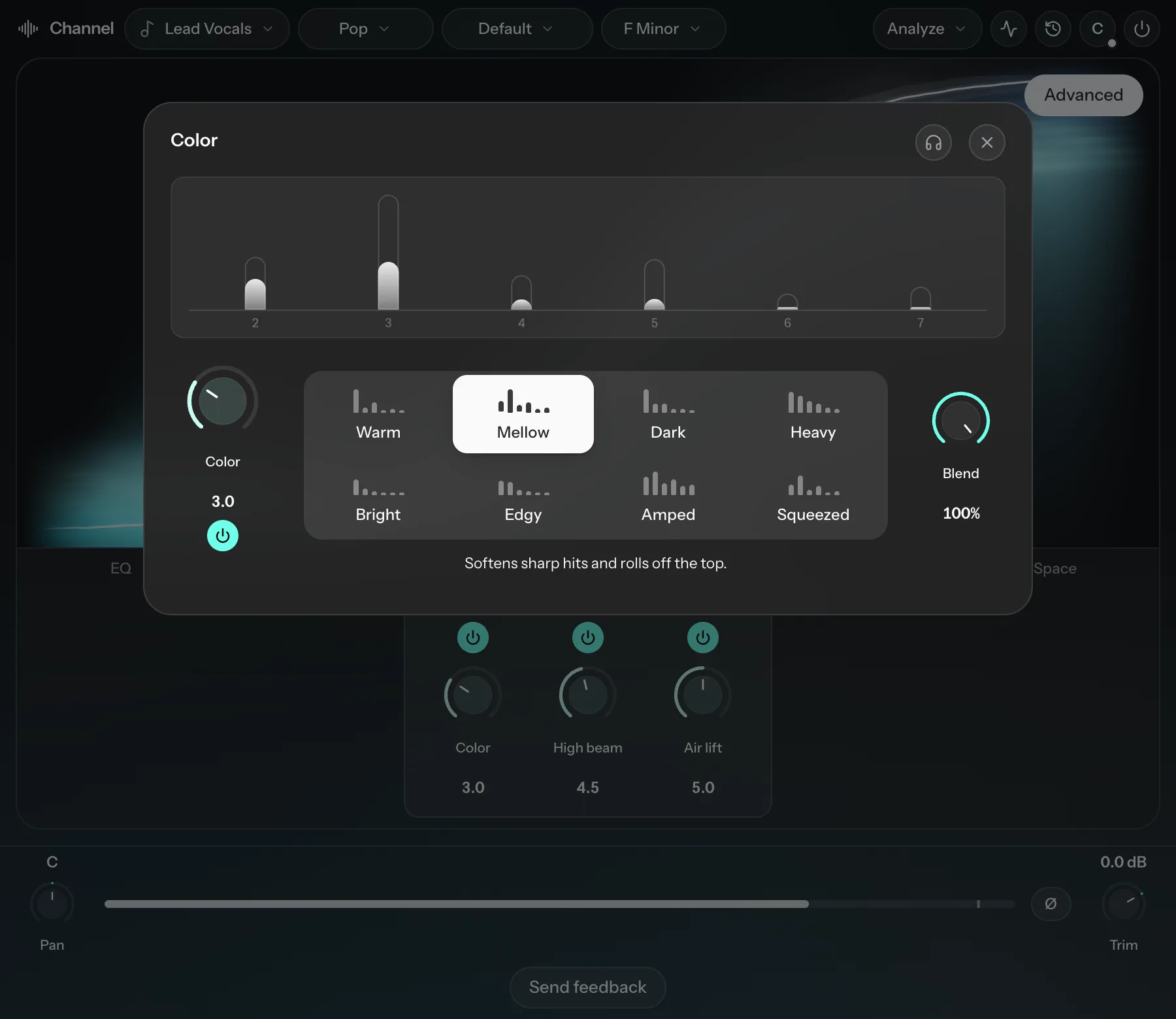
Pick one of eight sounds: Warm, Mellow (the default), Dark, Heavy, Bright, Edgy, Amped or Squeezed. Each tile shows its harmonic shape, and the line under them says what the picked sound does. Warm is the tube circuit, Mellow the tape, Heavy the transformer and Edgy the console. Blend mixes the saturated signal with the dry track (100% by default). Color at 10 with a low Blend sounds different from a low Color, because the dry track keeps its clean transients.
Wah
Wah appears on instruments that suit it, such as guitars, keys, synths, brass and strings. Open Wah designer to shape it:
- Filter: Classic, Funk or Vowel.
- Sweep: Opens up or Closes down, the direction the filter moves as you play.
- Sense, Attack and Release: how strongly and how fast the filter reacts to the playing.
- Heel and Toe: the two ends of the sweep, like the two ends of a wah pedal.
- Reso and Bite: how sharp and aggressive the filter sounds.