In your browser
Runs onAny browser on Mac, PC, tablet or phone
Your filesUploaded securely to your private storage
Where it's processedIn the cloud
SetupNothing to install
Best forTrying it out, working from anywhere, sharing tracks
Mix & Master Desktop puts the Cryo Mix mixing and mastering tool on your Mac or Windows PC. Drop in your stems, mix them in real time and master the song. Every file stays on your computer, and nothing is uploaded.
Included with Creator and Pro, for Mac and Windows
Your music stays on your computer. Each project is a folder in your Music folder, and the audio in it is sorted, mixed and mastered on your machine. It is never uploaded.
From installing the app to a finished master, in four steps.
Download Cryo Mix Hub for Mac or Windows and sign in with your Cryo Mix account. Mix & Master Desktop opens from its home screen, beside your plugins.
See the plugins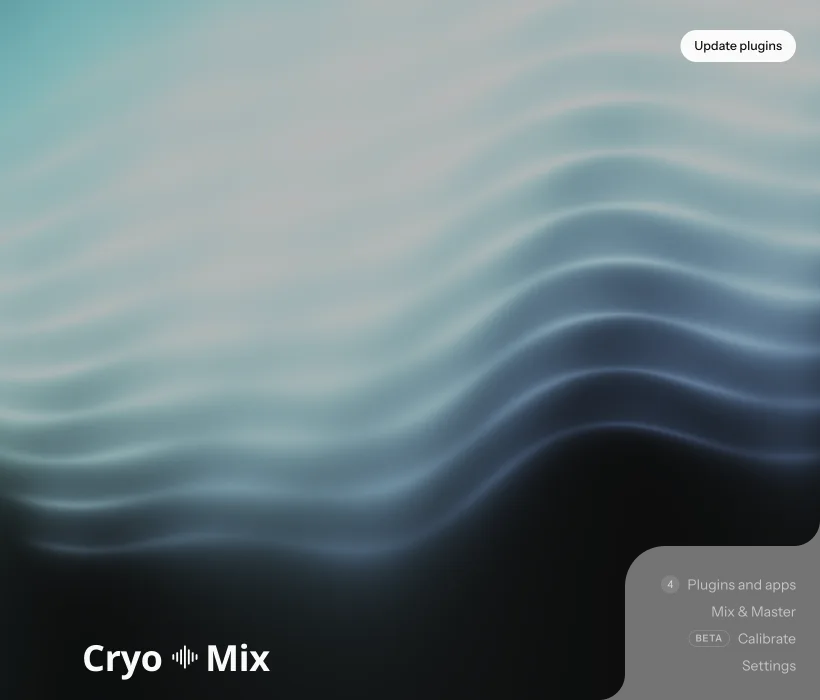
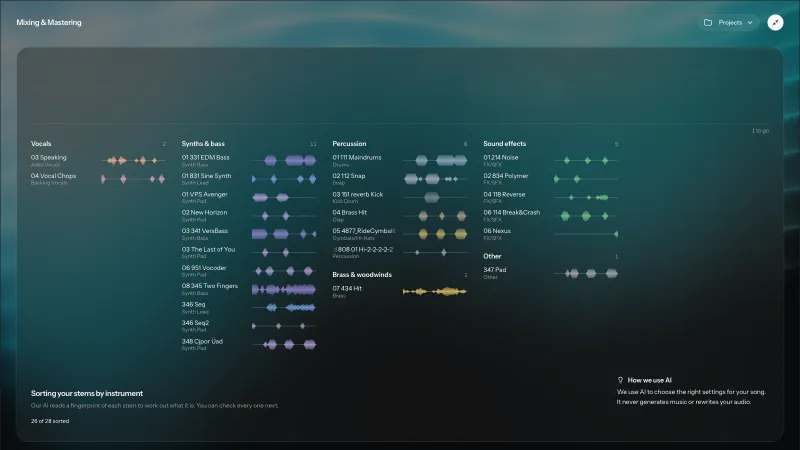
Drag in your stems or a finished song. Each stem is identified by instrument and sorted into groups, and the tempo and key are read from the audio, all on your computer.
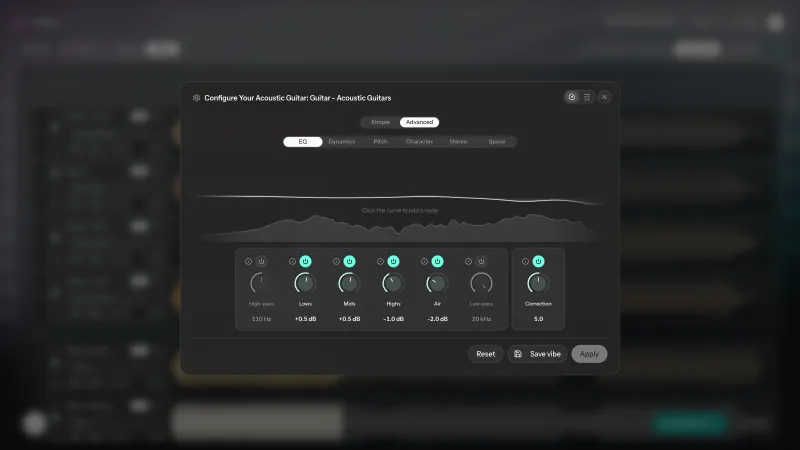
Our model is trained to predict the best settings for each track, and every effect is real audio processing you can change. Move a fader or turn a knob and you hear it straight away, with no render to wait for.
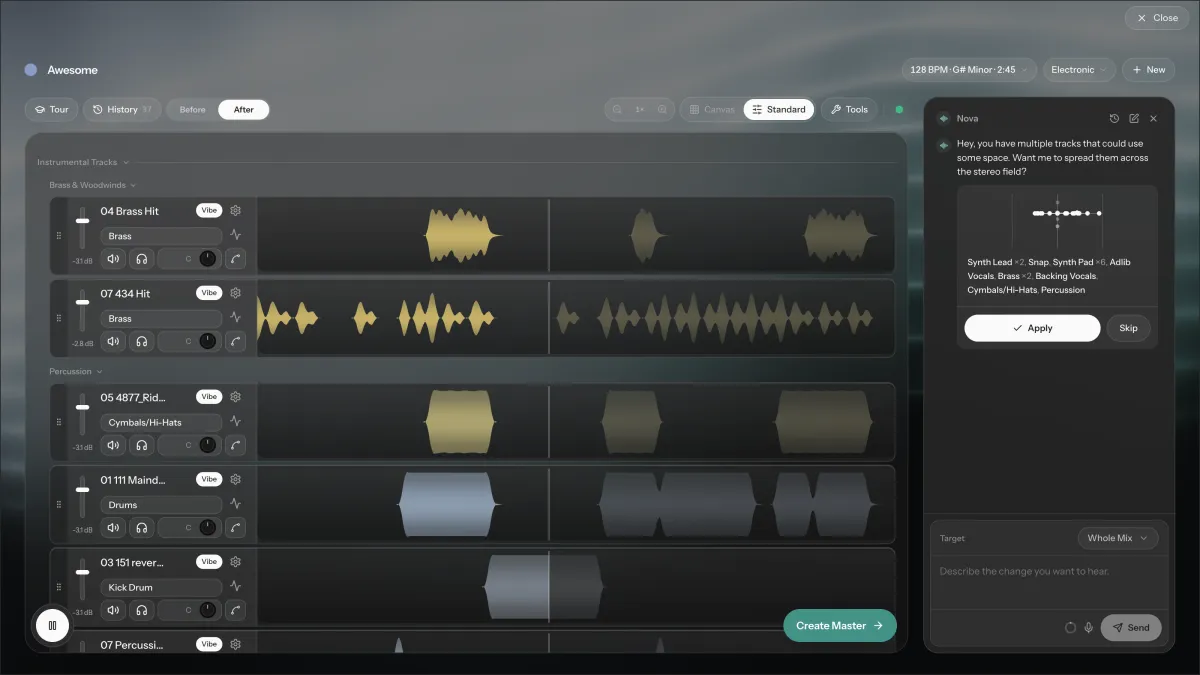
Create the master in the same window and compare it with the mix at the same loudness. Then save the master, the mix or the mixed stems, or open the session in FL Studio or Logic Pro.
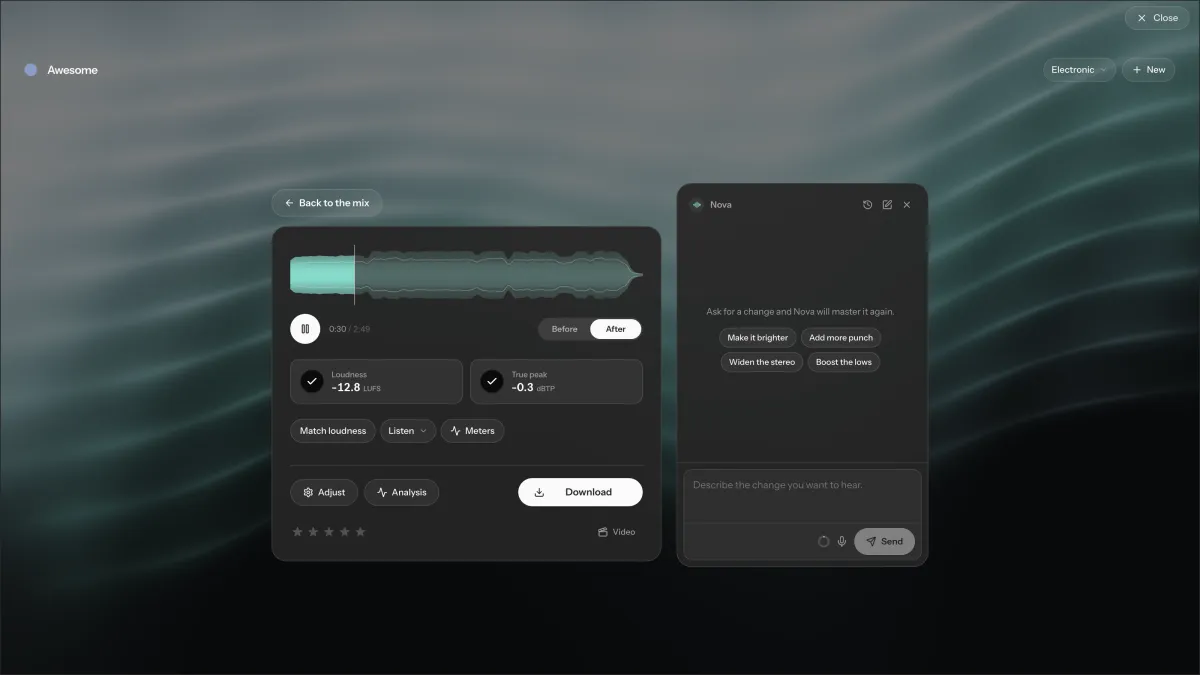
Mix & Master Desktop runs the same processing code as our servers, built for your computer, so a mix sounds the same wherever you made it.
Every change plays as you make it. On a lower-powered computer the mix is rendered first, then played.
Ready-made directions for each instrument and for the master, heard live before you apply them.
Every stem placed by pan and volume on one view, to move by hand.
Open any track's chain: EQ, compression, de-essing, reverb, delay, pitch correction and more.
Tune a vocal note by note, and remove clipping and background noise, on your computer too.
Trim a stem or erase a part of it without leaving the session.
Every change is kept, so you can go back to any earlier version of the mix or the master.
Ask for a change in your own words. Nova needs an internet connection, and it is sent your project's settings, never the audio.
Save the master and the mix as WAV, AIFF, FLAC or MP3, and the mixed stems as WAV. Or open the session in FL Studio or Logic Pro and carry on working there.
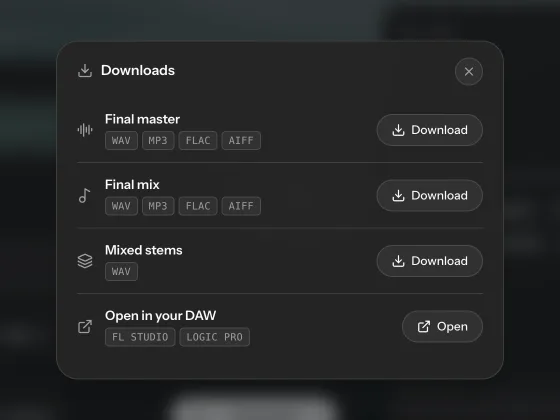
Same engine, same sound. Work in your browser, or run Cryo Mix on your own computer for faster processing and files that never leave your machine.
In your browser
For Mac and Windows
Mixing and mastering need no internet connection. A few things around them do.
With fewer than 4 processor threads or less than 4 GB of memory, Mix & Master Desktop renders the mix before playing it instead of playing it live.
Yes. Mix & Master Desktop mixes and masters on your own Mac or Windows computer, and it does not need an internet connection while you work. You sign in once in Cryo Mix Hub, which renews your license whenever you are online.
No. Each project is a folder in your Music folder, and the stems, mixes and masters in it are read and written on your computer. Only Nova goes online: when you ask Nova for a change, it is sent your project's settings, never the audio.
They are the same tool on the same engine. Mix & Master Online runs in your browser and keeps your projects in your private cloud storage, so you can work from any device. Mix & Master Desktop runs on your computer and keeps everything there, with nothing to upload.
No. Our model is trained to predict the best settings for each track and for the master. Every effect is real audio processing that you can see and change. Your music content is never used to train our models.
A Mac with macOS 13 Ventura or later, on Apple silicon or Intel, or a 64-bit PC with Windows 10 or 11, with 4 GB of memory. With fewer than 4 processor threads or less than 4 GB of memory, it renders the mix before playing it instead of playing it live.
Stems or a finished song as WAV, AIFF, FLAC, MP3, M4A or Ogg. Masters and mixes are saved as WAV, AIFF, FLAC or MP3, and the mixed stems as WAV.
No. Everything runs on your computer, so a project holds as many stems as your computer can play. Opening a session in FL Studio or Logic Pro takes up to 32 stems.
Yes. Drop in a single finished song and choose Master. You can set loudness, tone and width, match a reference track, and compare the master with the mix at the same loudness.
Yes. Open in your DAW builds an FL Studio or Logic Pro project from the session on your computer, so you can carry on working on it there.
No. Nova runs on our servers, so it needs an internet connection. Offline, everything else in the app works as usual.
Mix & Master Desktop is included with the Creator and Pro plans. Download Cryo Mix Hub from your Cryo Mix account, install it and sign in. Mix & Master Desktop opens from the Hub's home screen. The Hub also installs the Cryo Mix plugins and keeps them up to date.
Install Cryo Mix Hub, sign in, and open Mix & Master from its home screen.