AI mixing and mastering plugins for your DAW
Channel, Master and Nova bring Cryo Mix into the session you already work in. Our model is trained to predict the best settings for each track, and every effect is real DSP you can see and change.
- VST3 and AU, AAX coming soon
- Mac and Windows
- Apple silicon or Intel
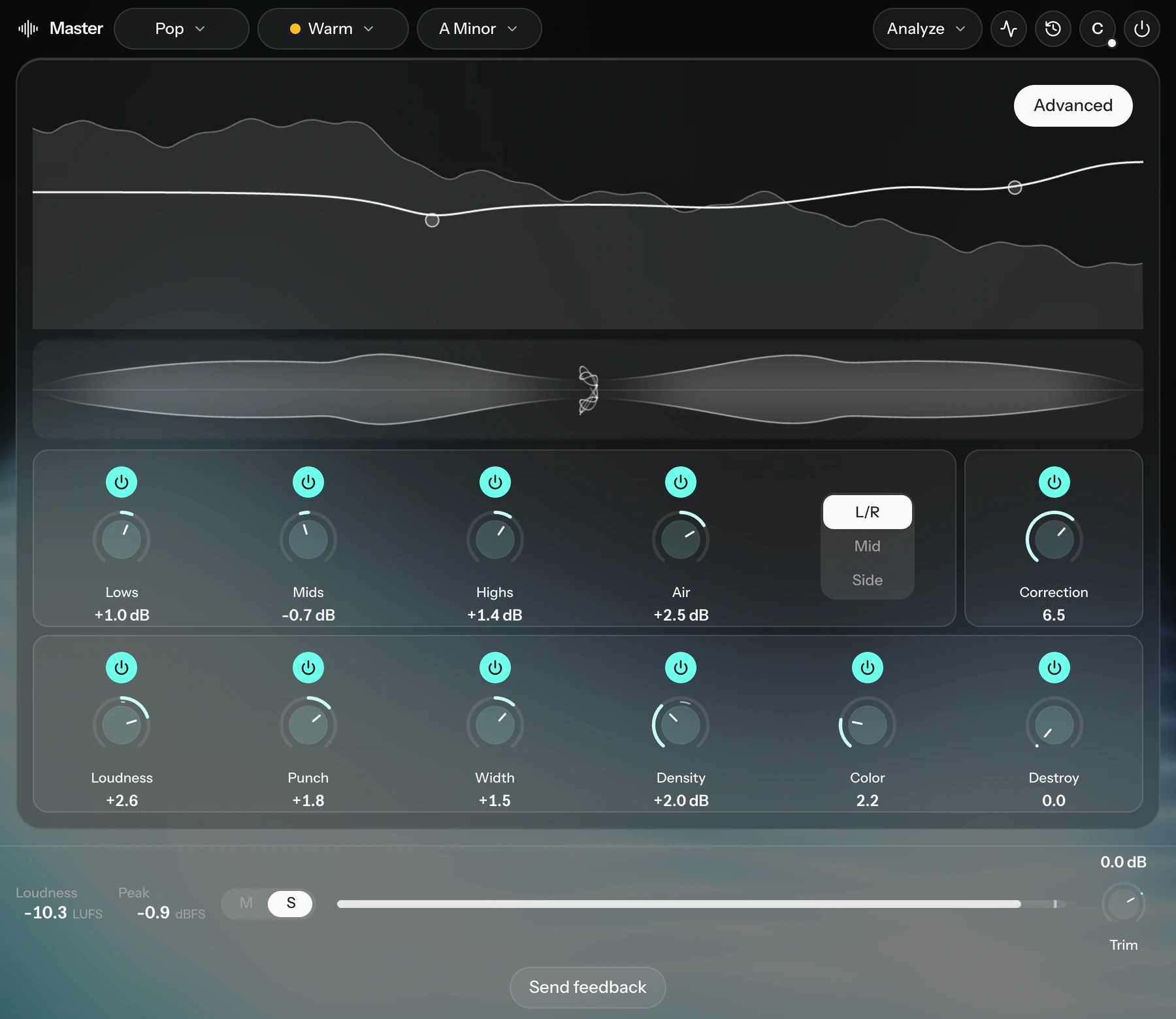
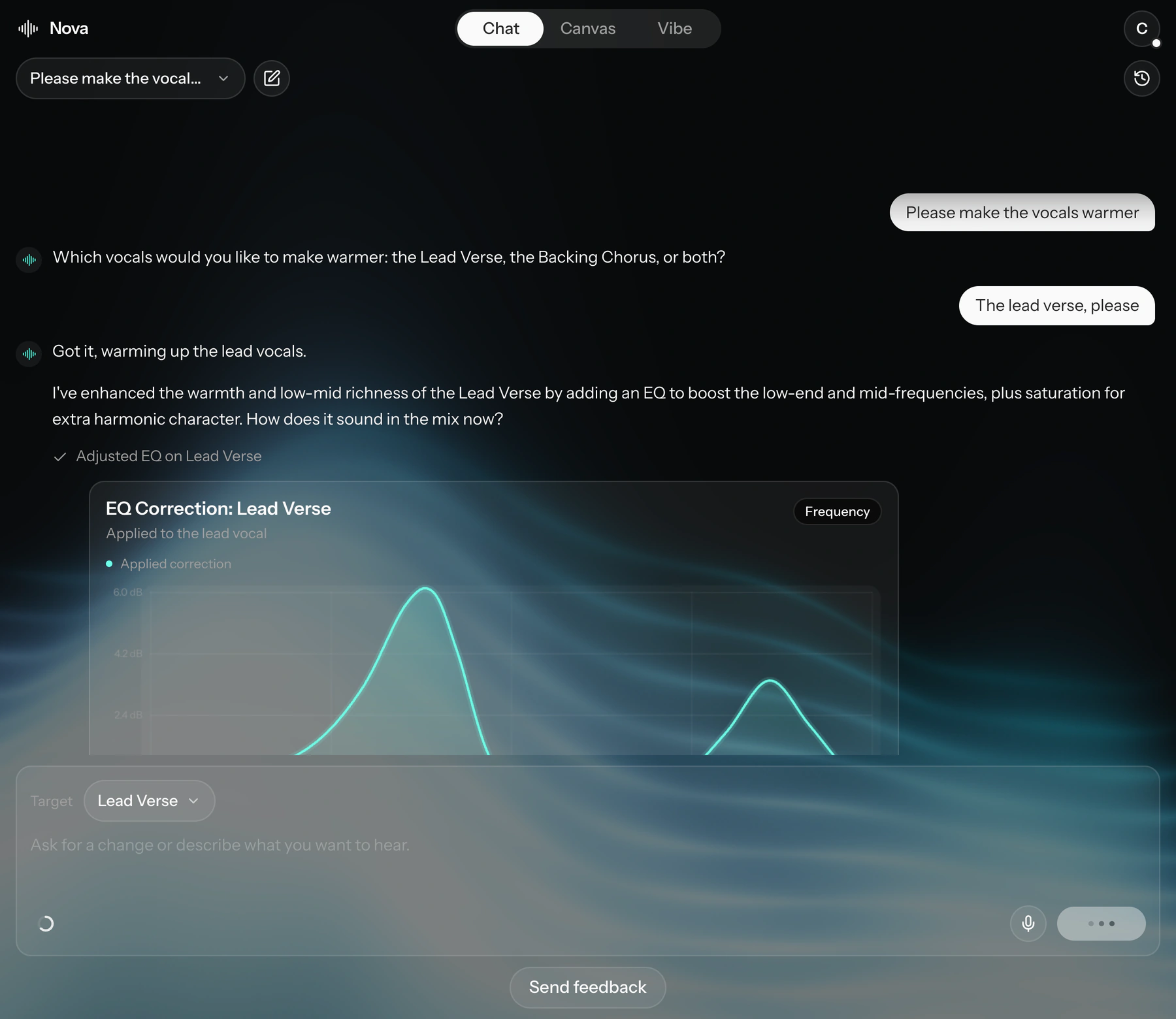
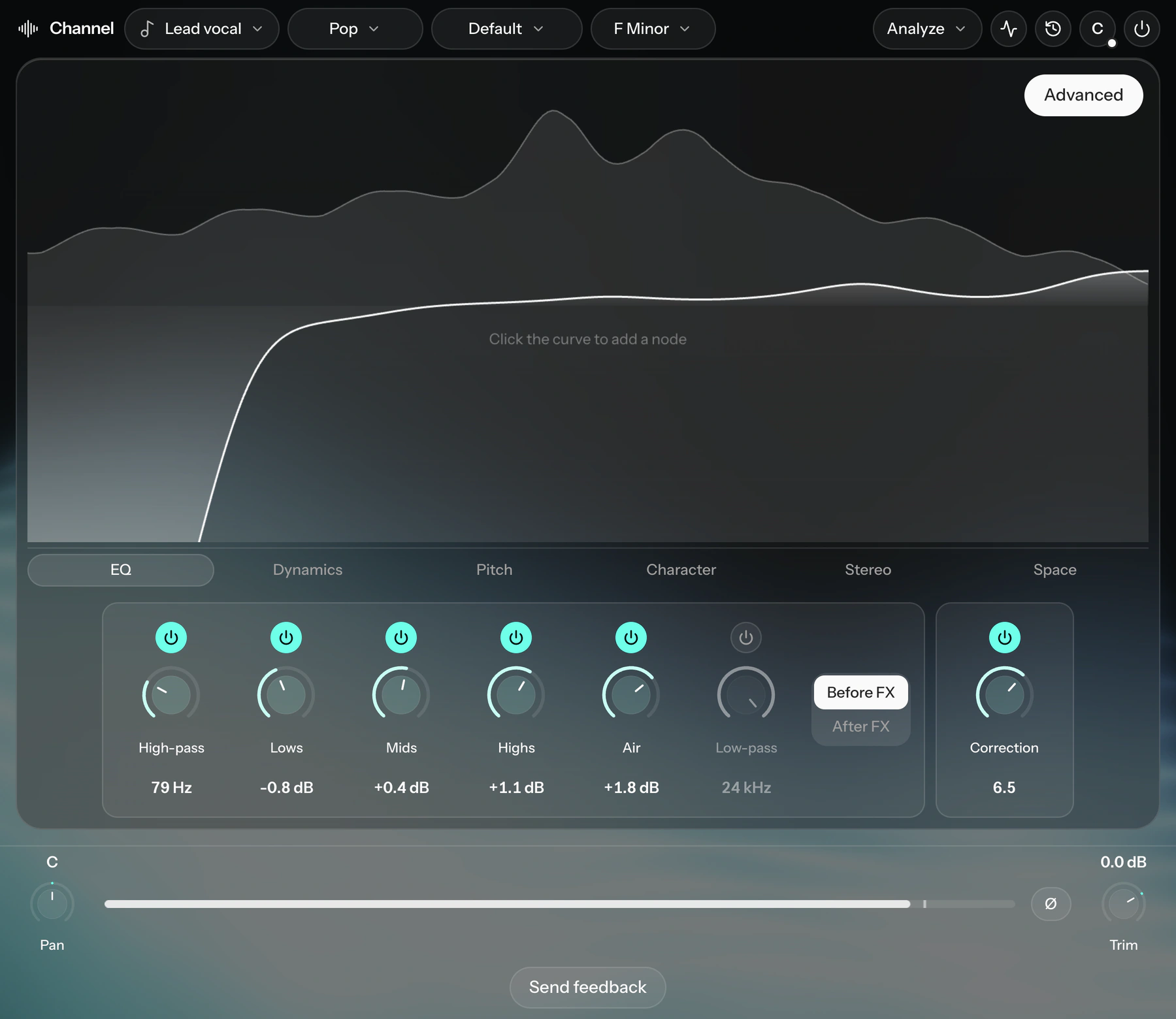
Predicted settings, real processing. Our model is trained to predict the best settings for each track from the audio itself. What it sets are ordinary effects, each one on screen with a knob you can turn.
From a rough session to a first mix
Put the plugins in your session
Channel on each track, Master on the master bus, and Nova anywhere you like.
Play the song
The plugins listen while it plays. Channel names the instrument on every track, and you check the list once.
Start from a mix
Each Channel fits an effect chain to its own recording, and the session gets a first pan and balance to work from.
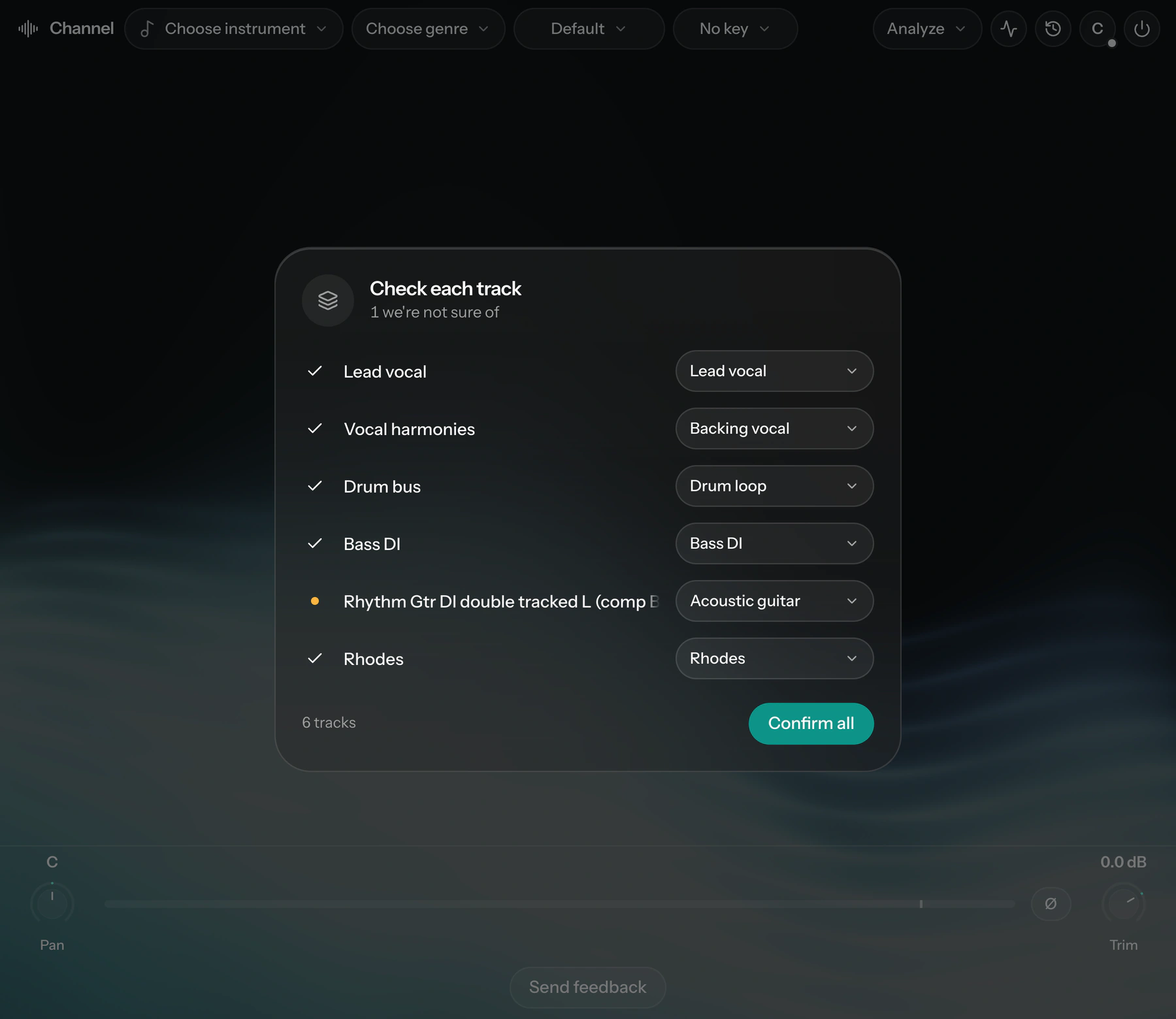
Channel: an AI channel strip for every track
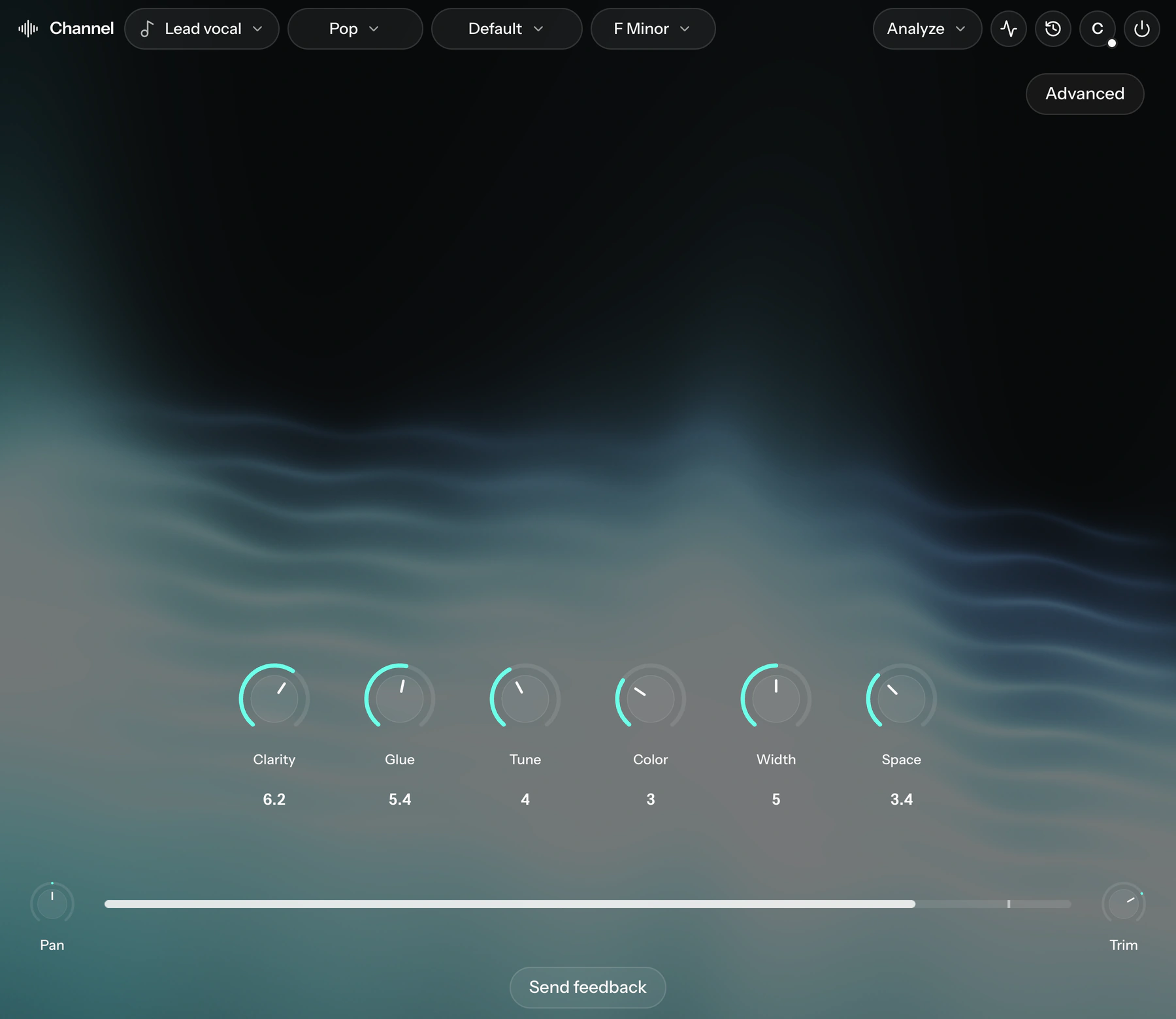
It recognises the instrument, then sets EQ, dynamics, pitch, character, stereo and space for that recording. Six knobs in Simple view, the whole chain in Advanced.
- Instrument detection
- Lead, backing and adlib vocals, drums, bass, guitars, keys, synths and more, predicted from a detailed analysis of the audio.
- Simple view
- Clarity, Glue, Tune, Color, Width and Space. Each knob moves the effects under it.
- Correction
- Our model predicts the EQ this recording needs, so no two tracks get the same curve. One knob sets how far it goes.
- Tuning
- Pitch correction keyed to the song, in the same chain as everything else.
Every effect opens to its own screen
See what an effect is doing to the signal and change it there. The model sets the starting point; the knobs are yours.
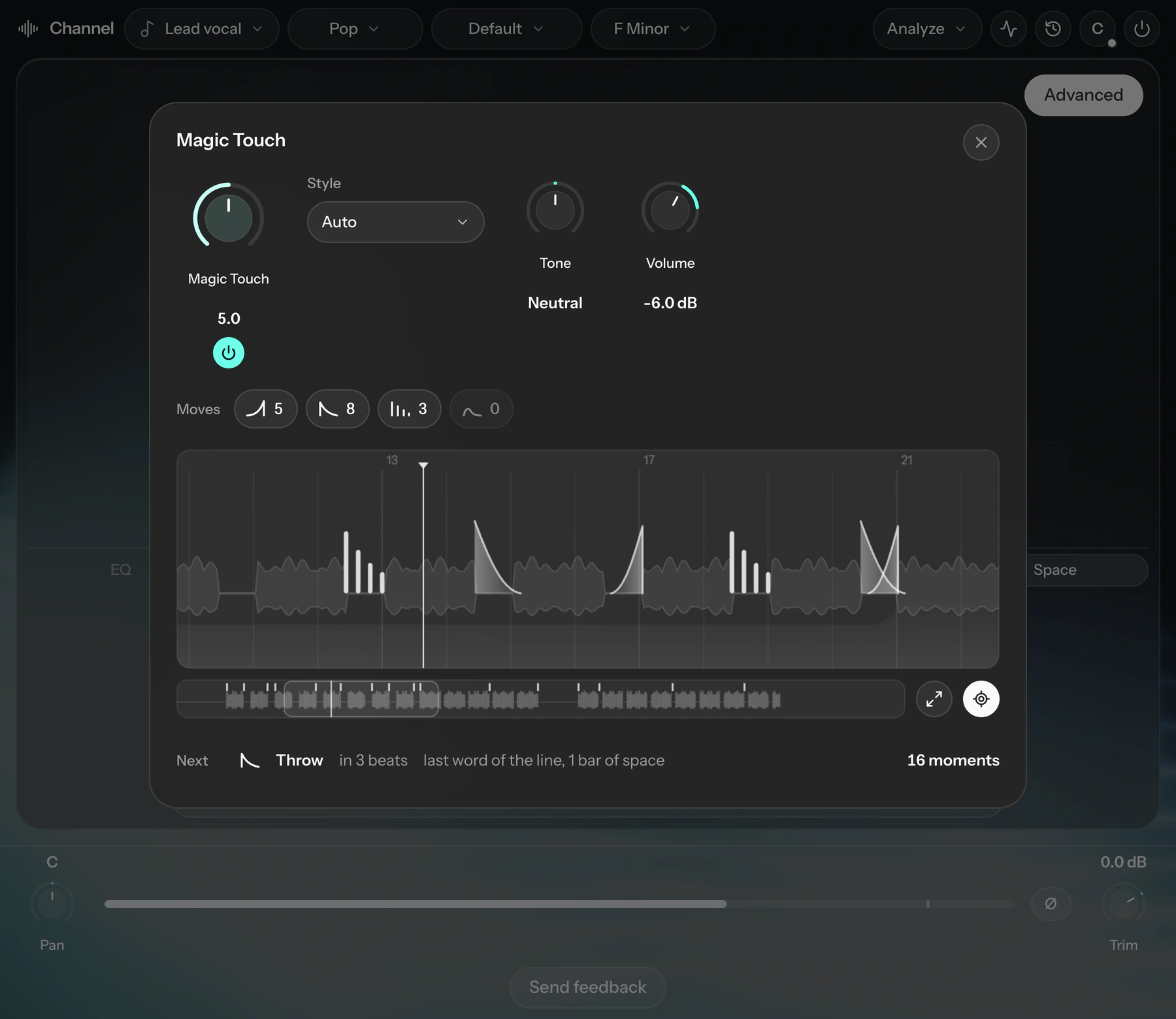
Magic Touch
Reverb throws and swells timed to the arrangement, placed in the gaps between lines.
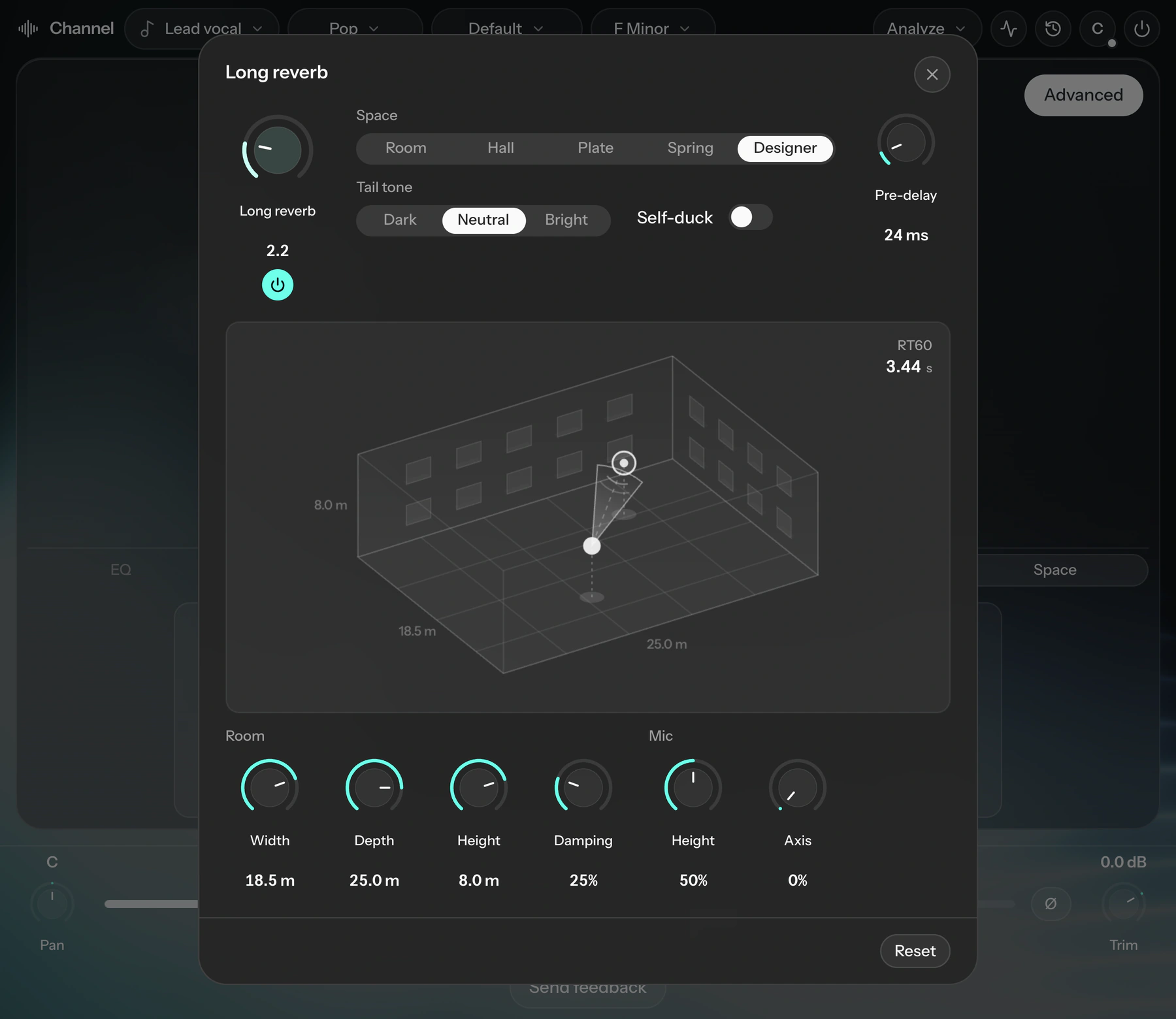
Long reverb
Pick a room, hall, plate or spring, or design the room: its size, the mic position, damping and the tone of the tail.
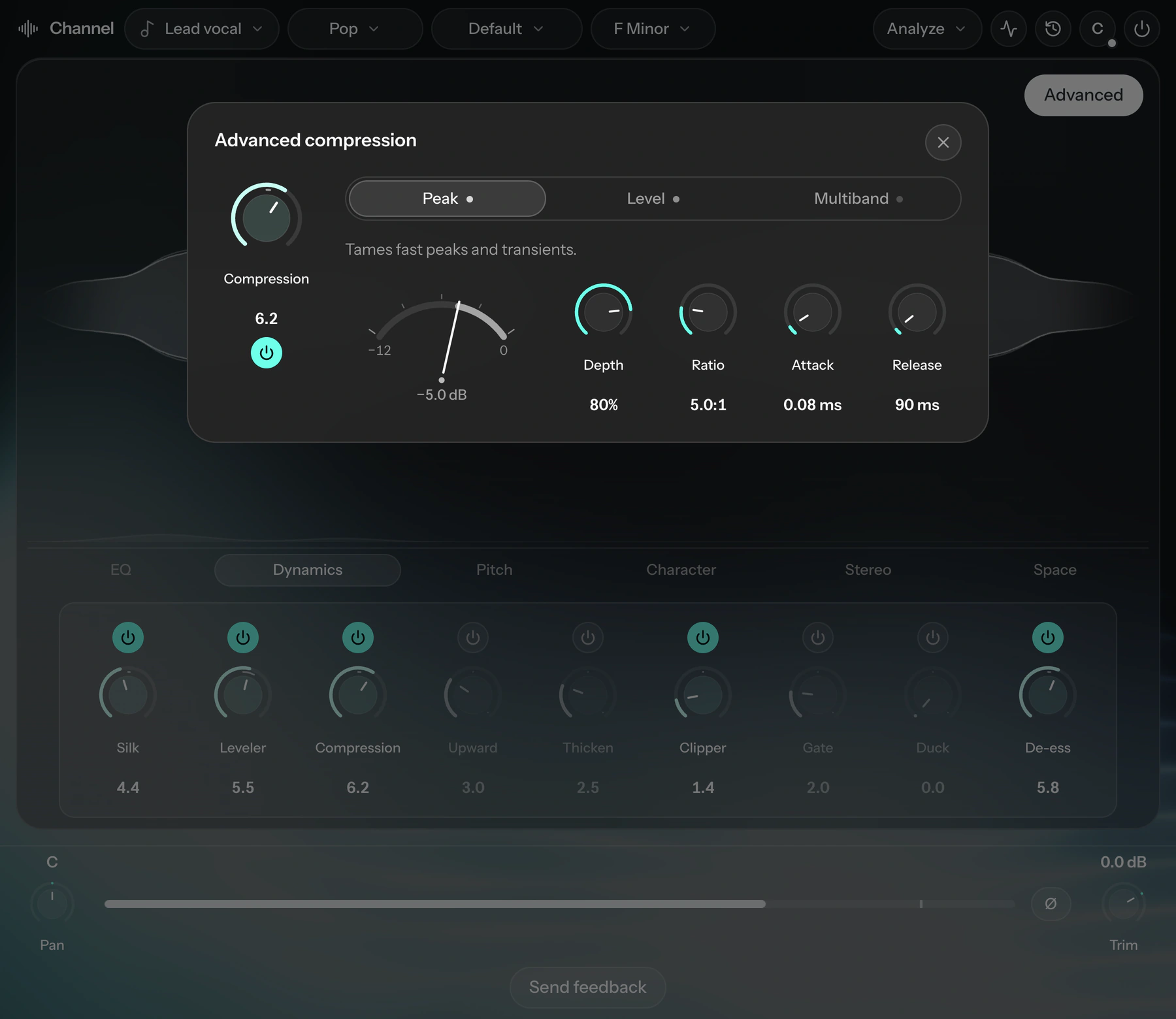
Compression
Peak, level and multiband stages, with the gain reduction moving as it plays.
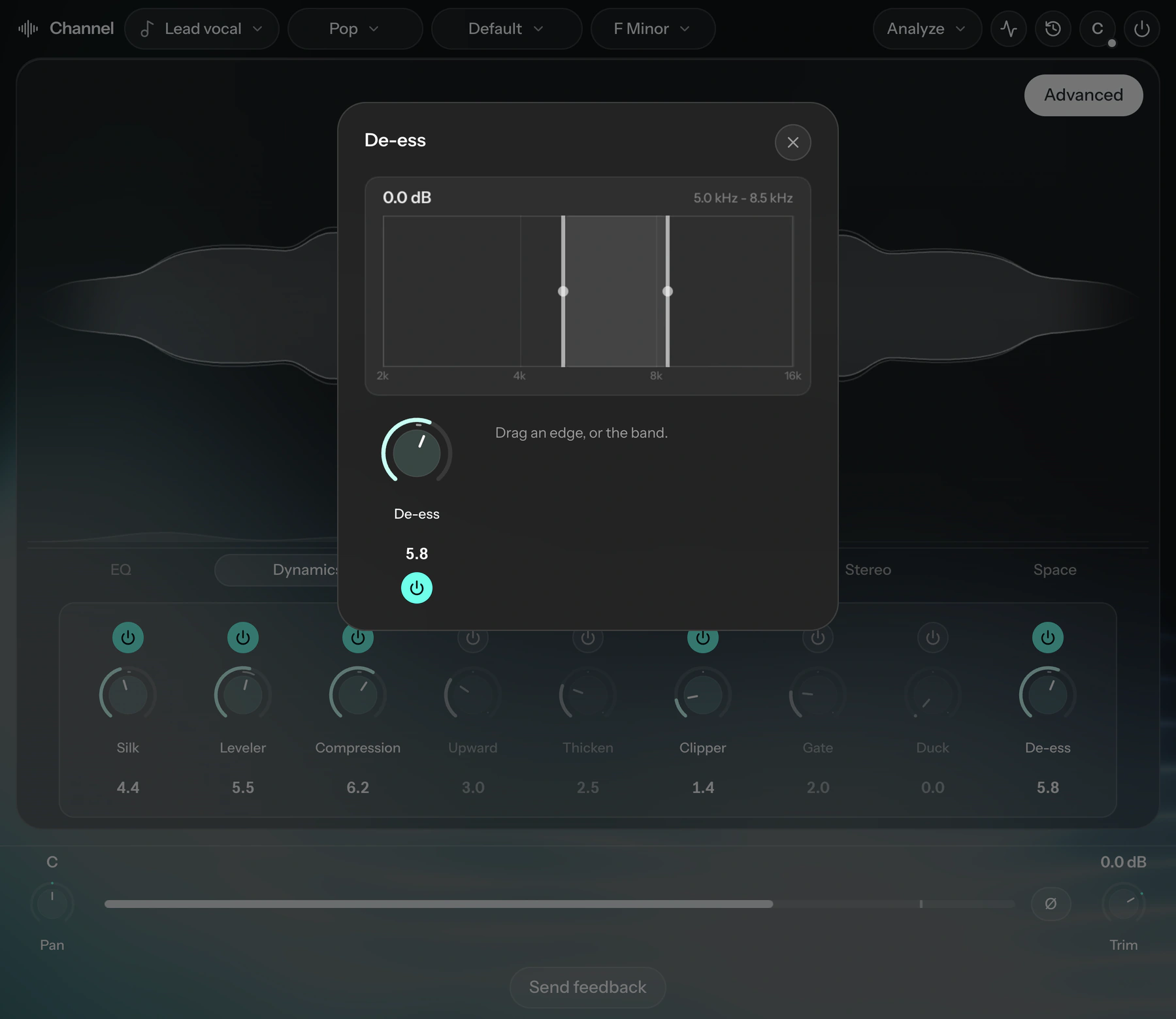
De-ess
Drag the band over the sibilance and set how much comes out.
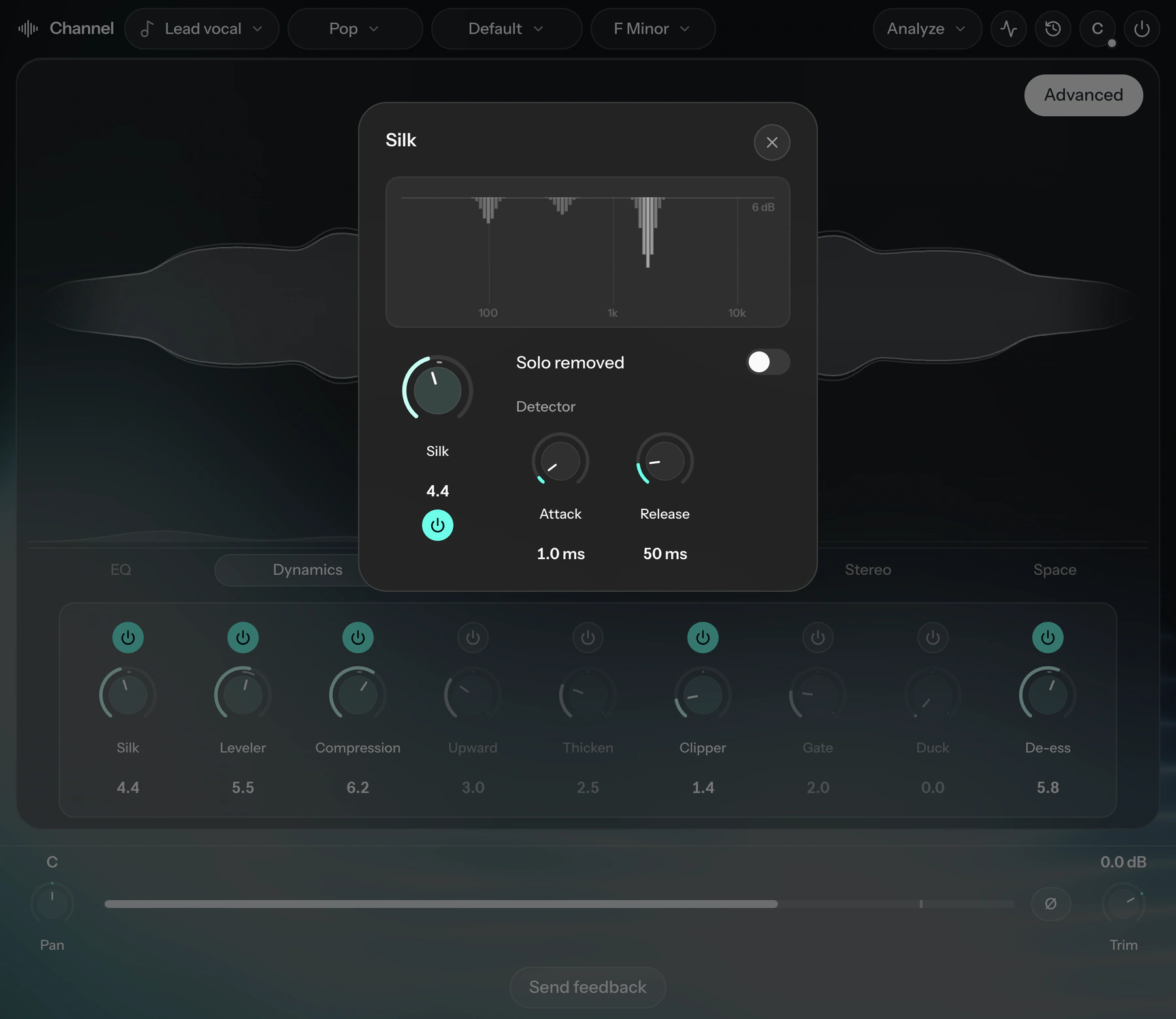
Smooth
Finds the resonances in a recording and pulls them down as they ring.
Everything in the chain
- EQ
- High-pass · Lows · Mids · Highs · Air · Low-pass · Correction
- Dynamics
- Smooth · Leveler · Compression · Upward · Thicken · Clipper · Gate · Duck · De-ess
- Pitch
- Pitch · Shift · Harmony
- Character
- Wah · Color · Destroy · Bit crusher · High beam · Detail lift
- Stereo
- Chorus · Phaser · Flanger · Tremolo · Auto-pan · Width
- Space
- De-clip · Cleaner · Short reverb · Long reverb · Delay · Dream · Magic Touch
Master: AI mastering on the master bus
Master listens to the whole mix and sets a mastering chain for the genre: tone, loudness, punch, width, density and color, with loudness and peak read on the bus as it plays.
- Reference matching
- Load a reference master and the whole console moves toward it. Compare the two at matched loudness, and set how far to match on one knob.
- Mid and side
- Shape the stereo, mid or side bank on its own.
- Simple view
- Clarity, Loudness and Color, for when three knobs are enough.
Nova: an AI mixing assistant in your session
Ask for a change in plain words. Nova hears every Cryo Mix plugin in the session, makes the change, and shows you what moved.
- Chat
- Each change arrives as a card listing what moved. Keep it, hold to compare, or revert.
- Canvas
- Every track on one stereo field. Drag for pan and level, or select several and move them together.
- Vibe
- Preview a direction for the whole mix, then apply it.
- Voice
- Dictate instead of typing. Speech is transcribed on your computer.
Start in the browser, finish in your DAW
Send a mix from Cryo Mix to FL Studio or Logic Pro as an editable project, with your audio, timing and Cryo Mix plugins already in place.
Specifications
- Plugins
- Channel on each track, Master on the master bus, Nova anywhere in the session
- Formats
- VST3 and Audio Unit on macOS, VST3 on Windows, AAX for Pro Tools coming soon
- macOS
- macOS 13 Ventura or later, Apple silicon or Intel
- Windows
- Windows 10 or 11, 64-bit
- DAWs
- FL Studio, Logic Pro, Ableton Live, Cubase, Studio One, Reaper, Bitwig Studio and other VST3 or AU hosts
- Processing
- Real time, in your DAW, on your computer
- Installation
- One installer for all three, which also brings updates
- Account
- Sign in once with your Cryo Mix account
Questions
What are Cryo Mix Plugins?
Three audio plugins for your DAW. Channel goes on each track and sets up its processing, Master goes on the master bus and masters the mix, and Nova takes requests in plain words and makes the changes across the session.
Does the AI generate or change my audio?
No. Our model is trained to predict the best settings for each track. The sound comes from real effects such as EQ, compression, saturation and reverb, and every one is on screen for you to change or switch off.
How is Channel different from a channel strip preset?
A preset puts the same settings on every track. Channel listens to the track first and fits its chain to that recording, so two vocals get two different chains.
Which DAWs do the plugins work in?
Any DAW that loads VST3 or Audio Unit plugins, such as FL Studio, Logic Pro, Ableton Live, Cubase, Studio One, Reaper and Bitwig Studio. Logic Pro uses the Audio Unit version.
Do they work in Pro Tools?
Not yet. Pro Tools loads only AAX plugins. Cryo Mix Plugins are VST3 and Audio Unit today, and AAX is coming soon.
Do they run on Mac and Windows?
Yes. On macOS you get VST3 and Audio Unit, on Apple silicon or Intel. On Windows 10 or 11 (64-bit) you get VST3. AAX for Pro Tools is coming soon on both.
Can I master to a reference track?
Yes. Load a reference master into Master and it sets the whole console toward it: tone, loudness, punch, width and density. Switch between your master and the reference at matched loudness, and choose how far to match with one knob.
How do I get them?
The plugins are included with the Essential, Creator and Pro plans. Sign in, or create an account, and download the installer from the Downloads page in your dashboard. It installs all three plugins and opens again when there is an update.
How much Nova can I use?
Nova has a usage allowance that resets every month. If you use it up, you can unlock more with a credit.
Can I move a mix between the website and my DAW?
Send a mix from Cryo Mix to FL Studio or Logic Pro as an editable project, with your audio, timing and Cryo Mix plugins already in place.
Is my music used to train your models?
No. Your music content is never used to train our models.

Mix and master inside your DAW
Channel, Master and Nova, in one installer for Mac and Windows.