Magic Touch
Fills the gaps in a part the way a mix engineer would, with reverse swells, throws and echoes.
Magic Touch fills the gaps in a part the way a mix engineer would. For example, it adds a reverse swell into a verse, or a reverb throw on the last word of a chorus that carries into the next section. You'll find it on the Space tab.
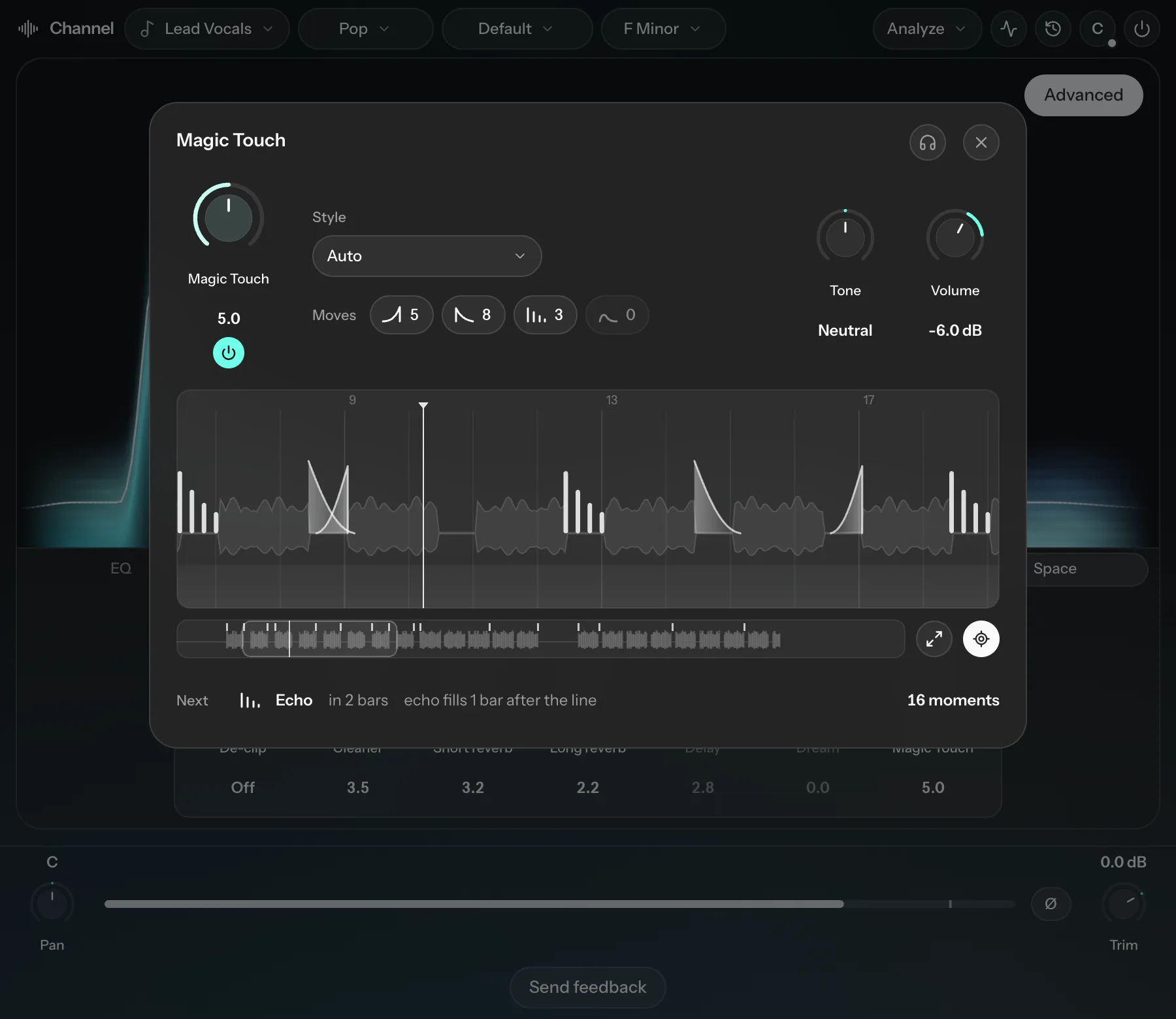
It builds its map while you play the song, so play the whole song for the best result. Parts it hasn't heard yet are shaded, and the status line shows how much of the song it has heard. Magic Touch isn't available on drums, bass, 808s or backing tracks.
Controls
| Control | What it does |
|---|---|
| Magic Touch | The main knob: how many moves it adds. More adds extra throws and swells. |
| Style | The kind of effects it uses: Auto, Whisper, Echo chamber, Rewind, Cathedral, Dub, Stutter, Ghost or Cinematic. Auto picks a style that suits the genre. |
| Tone | How dark or bright the effects sound. The middle is neutral. |
| Volume | The level of all Magic Touch effects together (-24 to +6 dB, default -6 dB). |
The map
The map shows each move it adds and where. The Moves chips (Swell, Throw, Echo and Bloom) show how many of each type there are. Click a chip to switch that whole type on or off.
- Click a move to see its details, switch it on or off, or change its type under Move.
- Double-click a move to switch it off. It stays on the map, drawn hollow, so you can double-click it again to bring it back.
- Double-click where a faint move appears at the edge of a phrase to add one there.
- Scroll to move along the song, and hold Ctrl (Cmd on Mac) while scrolling to zoom. Use the buttons to follow the playhead or expand the map.