Analyze your project
Put Cryo Mix Channel on every track, click Analyze all tracks once, and play the song from start to finish.
Cryo Mix listens to every track while you play the song, then sorts the tracks by instrument and predicts settings for each one.
Step by step
- Load your tracks and give each one its own mixer channel.
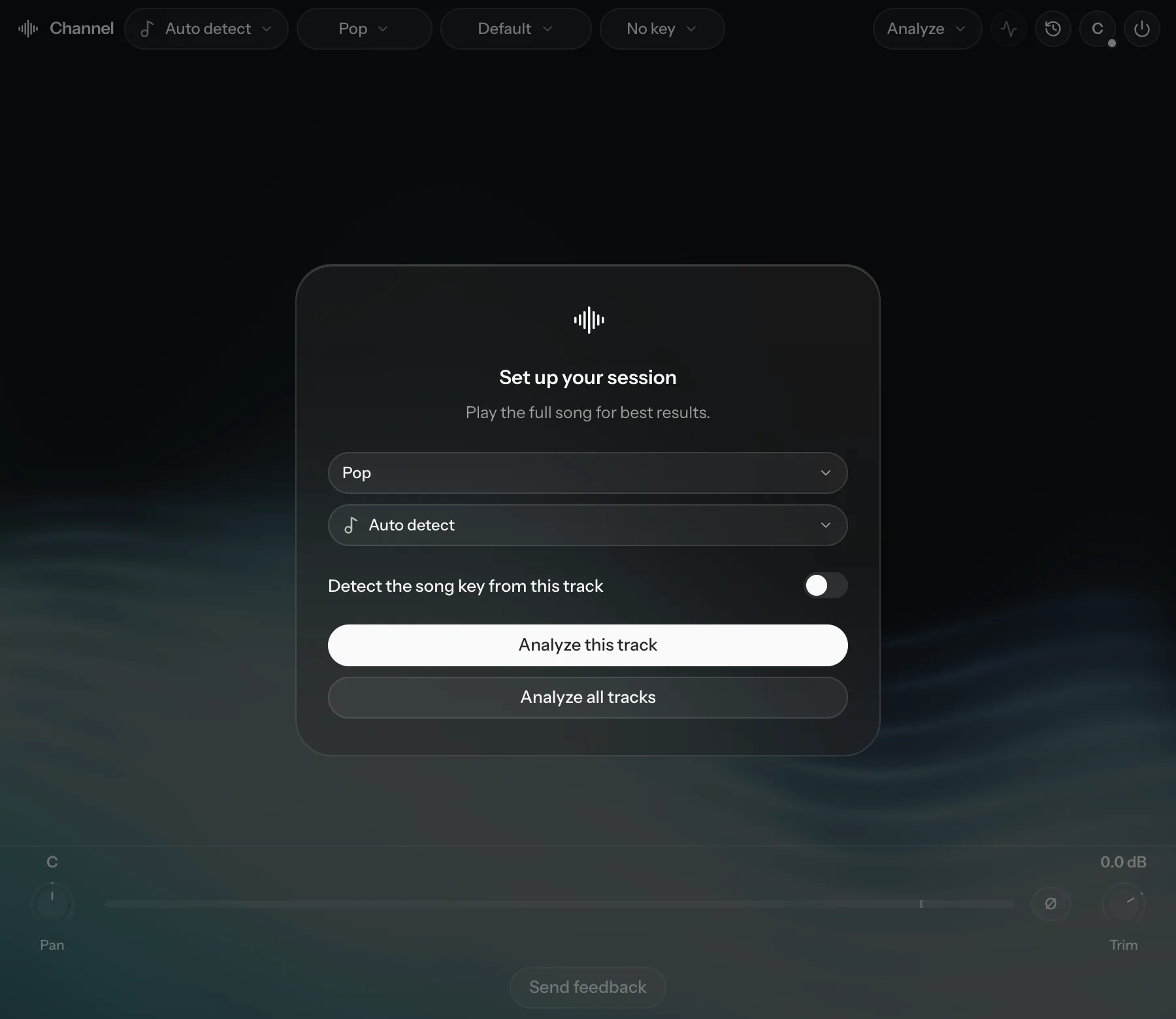
- Add Cryo Mix Channel to every channel. The first one shows Set up your session.
- Choose the closest genre. Analysis can't start without one. Leave the instrument on Auto detect unless you already know it.
- Every other instance picks up the same genre and key. It shows "Using … from the Cryo Mix project already open". Click Clear if you want a different setting on that track.
- Click Analyze all tracks on any one instance. Every Channel plug-in in the project starts listening. Analyze this track listens on that channel only.
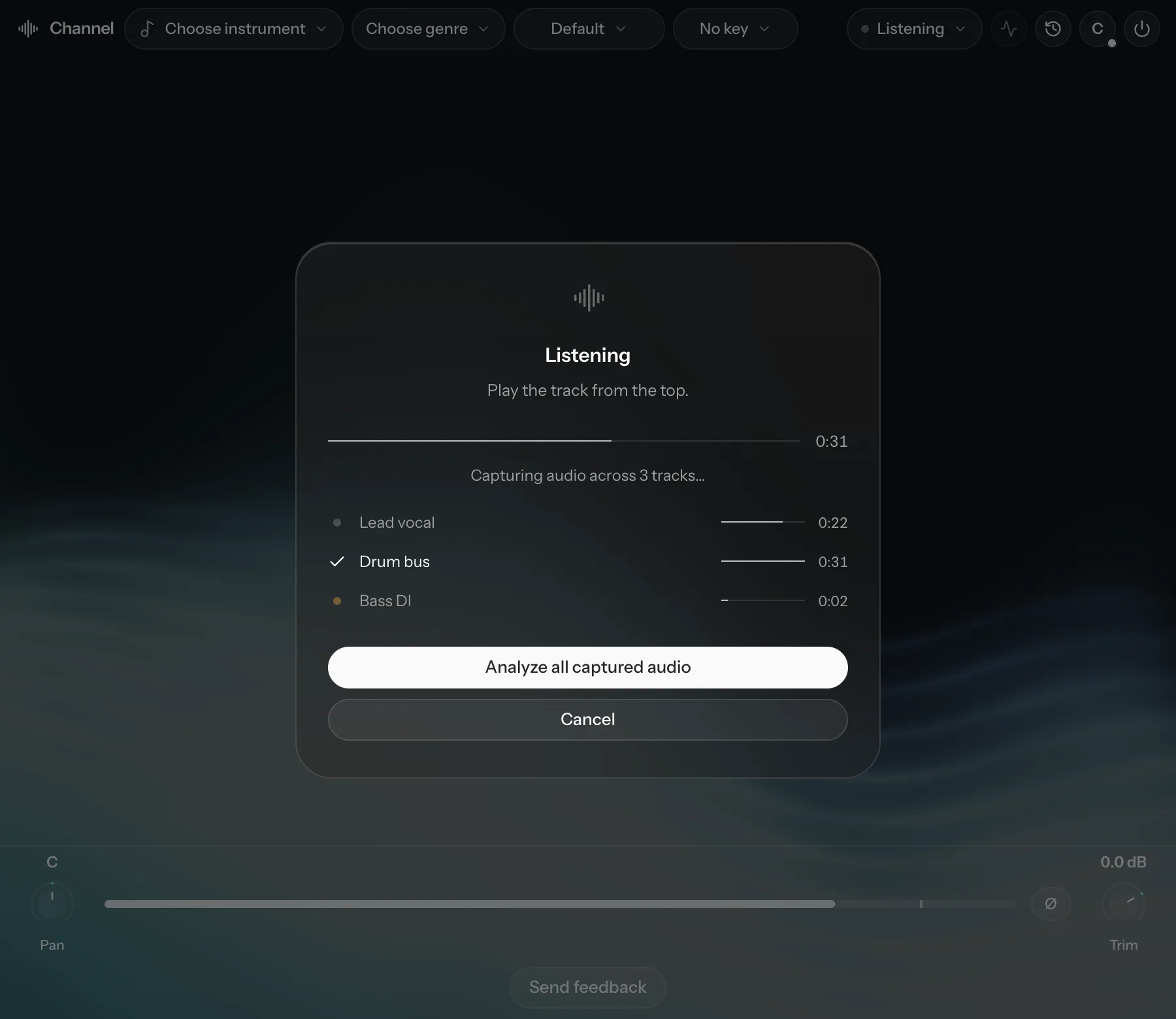
- Play the song from start to finish. Each track shows its own progress.
- Click Analyze all captured audio.
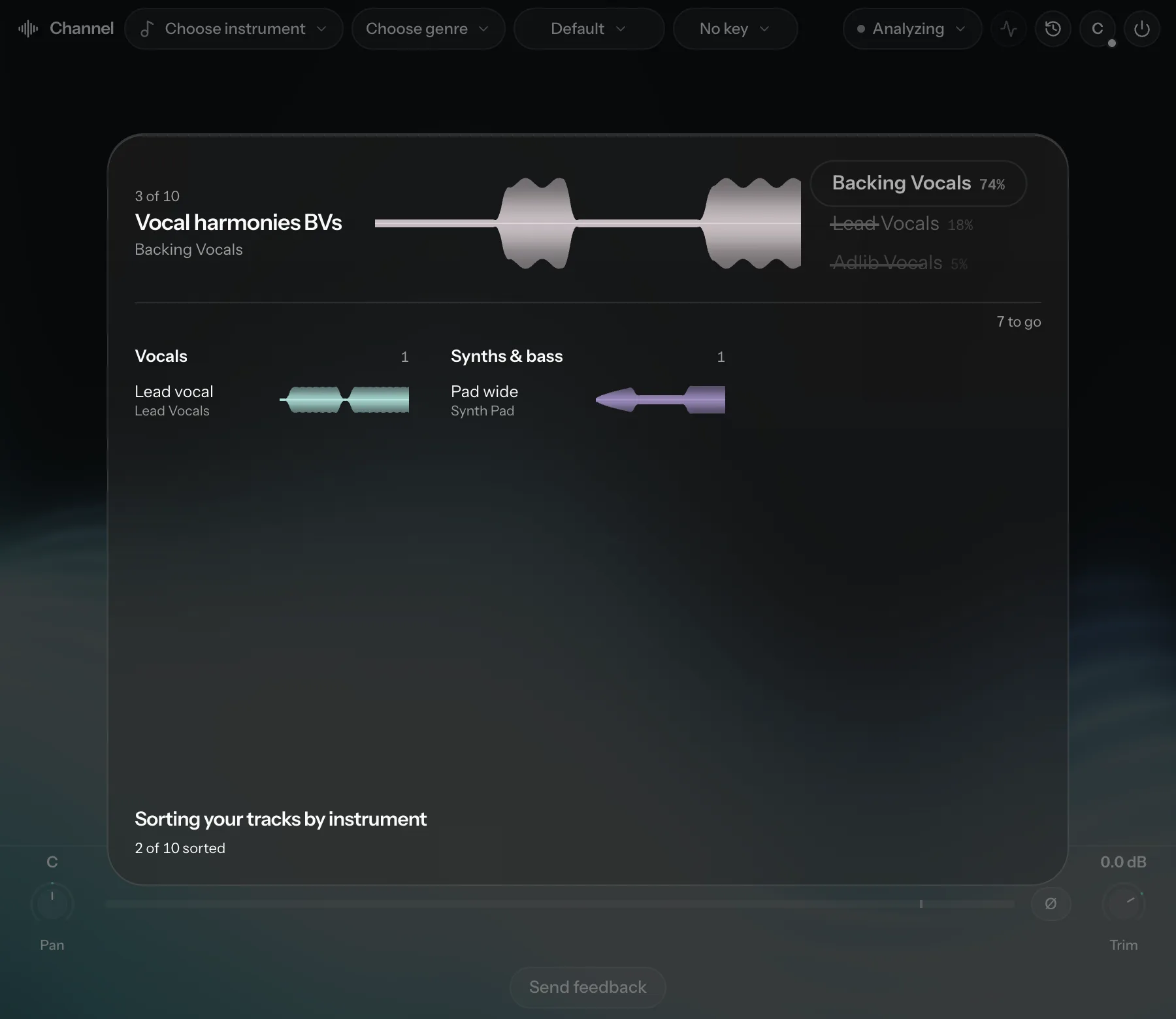
Cryo Mix then sorts your tracks by instrument and predicts the mix settings. Last comes Check each track, where you can correct any instrument it got wrong. Click Confirm all when the list is right.
While it listens
| Status | Meaning |
|---|---|
| Listening… | Audio is being captured. |
| No signal yet - check your track is playing | Nothing has reached this channel yet. |
| Good to go - keep playing for a sharper match | There is enough audio to analyze; more makes it more accurate. |
| Ready to analyze | The track has about 30 seconds of audio. |
| All tracks ready to analyze | Every track is ready. |
How much audio does it need?
- About 30 seconds of actual audio per track fills the bar. Silence doesn't count.
- You can analyze once a track reaches about 5 seconds. A bar that isn't full is fine.
- The full song gives the most accurate result. Some settings use the context of the whole song, and Magic Touch places its effects across the full arrangement.
The song key
Pitch correction and harmony need a key. If none is set you'll see "No song key set - tuning and harmony need one." Click Detect key, or set it yourself from the Key menu.
After the first analysis
Once every channel is analyzed, Cryo Mix pans and balances the tracks. If Nova isn't loaded this happens straight away. If Nova is loaded, the change appears there as a proposal you can keep or revert. Either way you can undo it in History.
To analyze again later, use the Analyze menu in the top bar. When you re-analyze you can turn on Reset custom settings to fresh predictions. With it on, your own changes are replaced by new predictions. With it off, they're kept.