Master to a reference track
Load a song whose master you like and set how closely your master follows it.
Last updated: 11/11/2026
Load a song whose master you like, and Cryo Mix Master moves your master toward it.
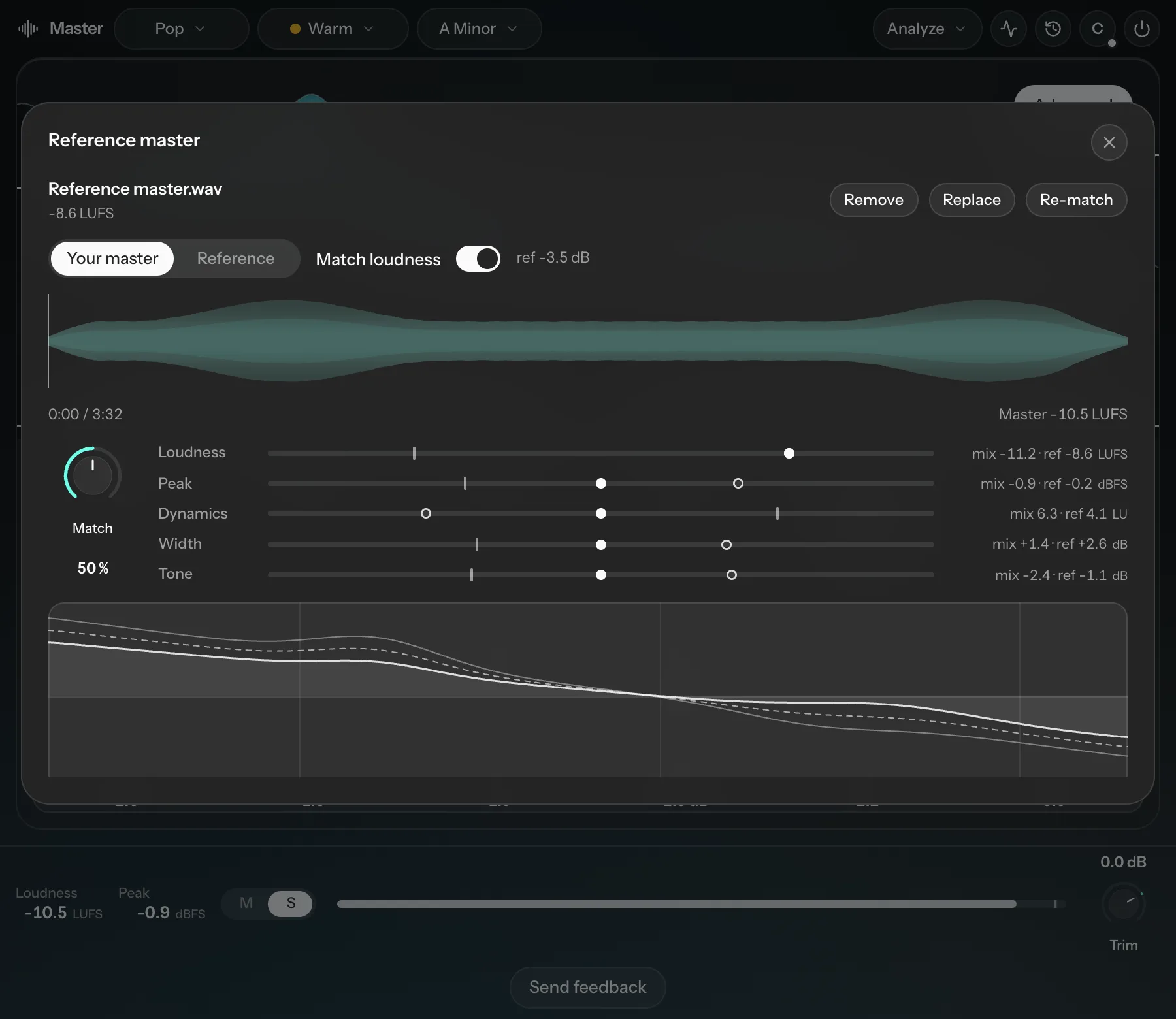
- Open the Analyze menu and choose Load reference master…. Or open the Reference master panel and click Load reference track. You can also drop a file on it. WAV, AIFF, FLAC, MP3, M4A and OGG all work.
- Turn Match (0 to 100%, default 50%) to set how closely your master follows the reference. The panel shows what it is aiming for in Loudness, Peak, Dynamics, Width and Tone. Loudness always aims at the reference.
- Under Monitor, switch between Your master and Reference to compare. Leave Match loudness on so the louder one doesn't sound better just because it's louder.
Use Replace to load a different song, Remove to stop using one, or Reload audio if the file has moved. The reference also feeds into Correction.