Master controls
Boost, Color and Clarity in Simple mode, and every stage of the master chain in Advanced.
Simple mode
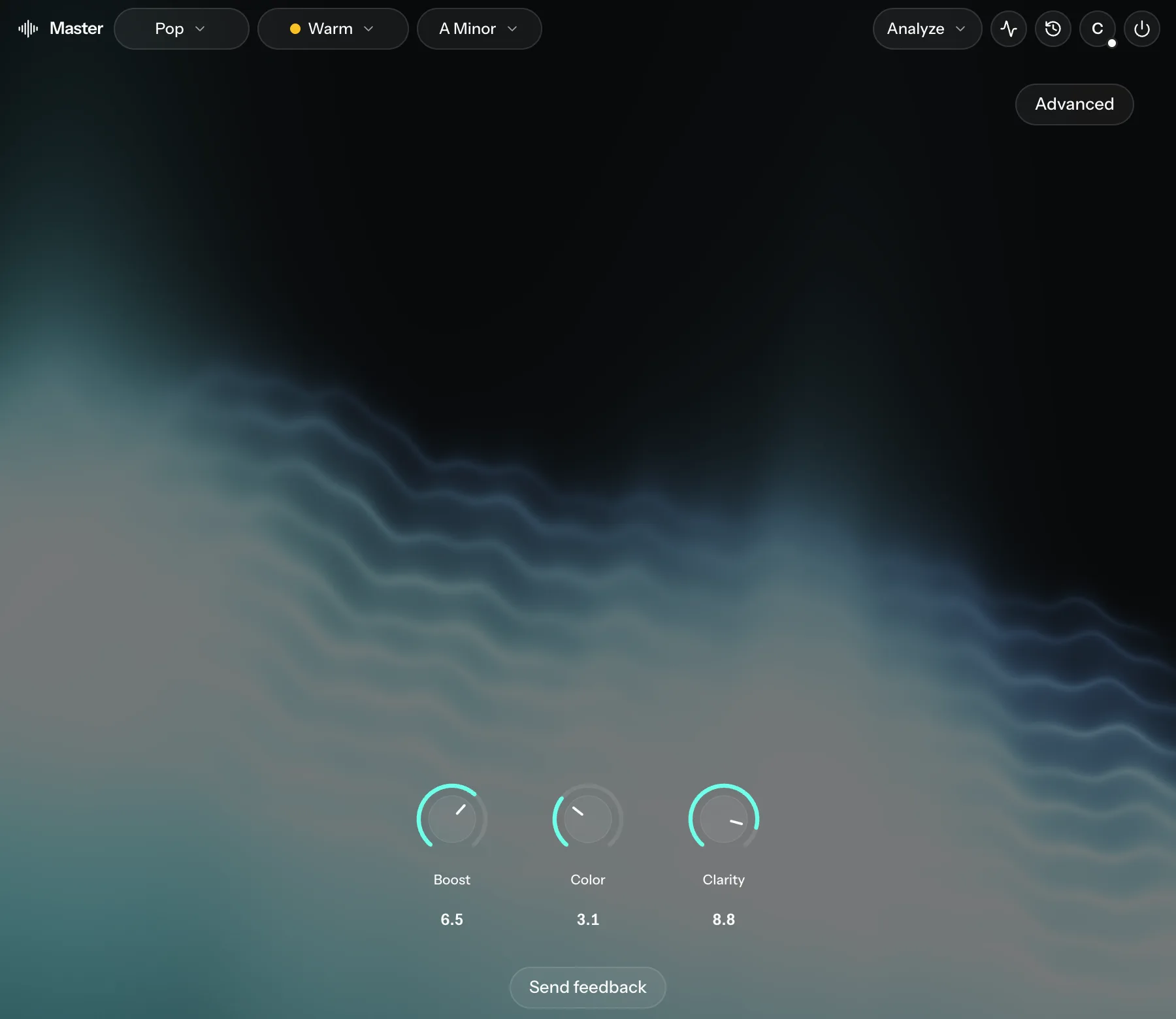
| Knob | What it does |
|---|---|
| Boost | Makes the master louder and denser. It raises Loudness and Density together. |
| Color | Adds saturation. |
| Clarity | Sets EQ Correction. Near the top it also adds air and cuts the mids slightly. |
Click Advanced at the top right to see every stage.
Advanced mode
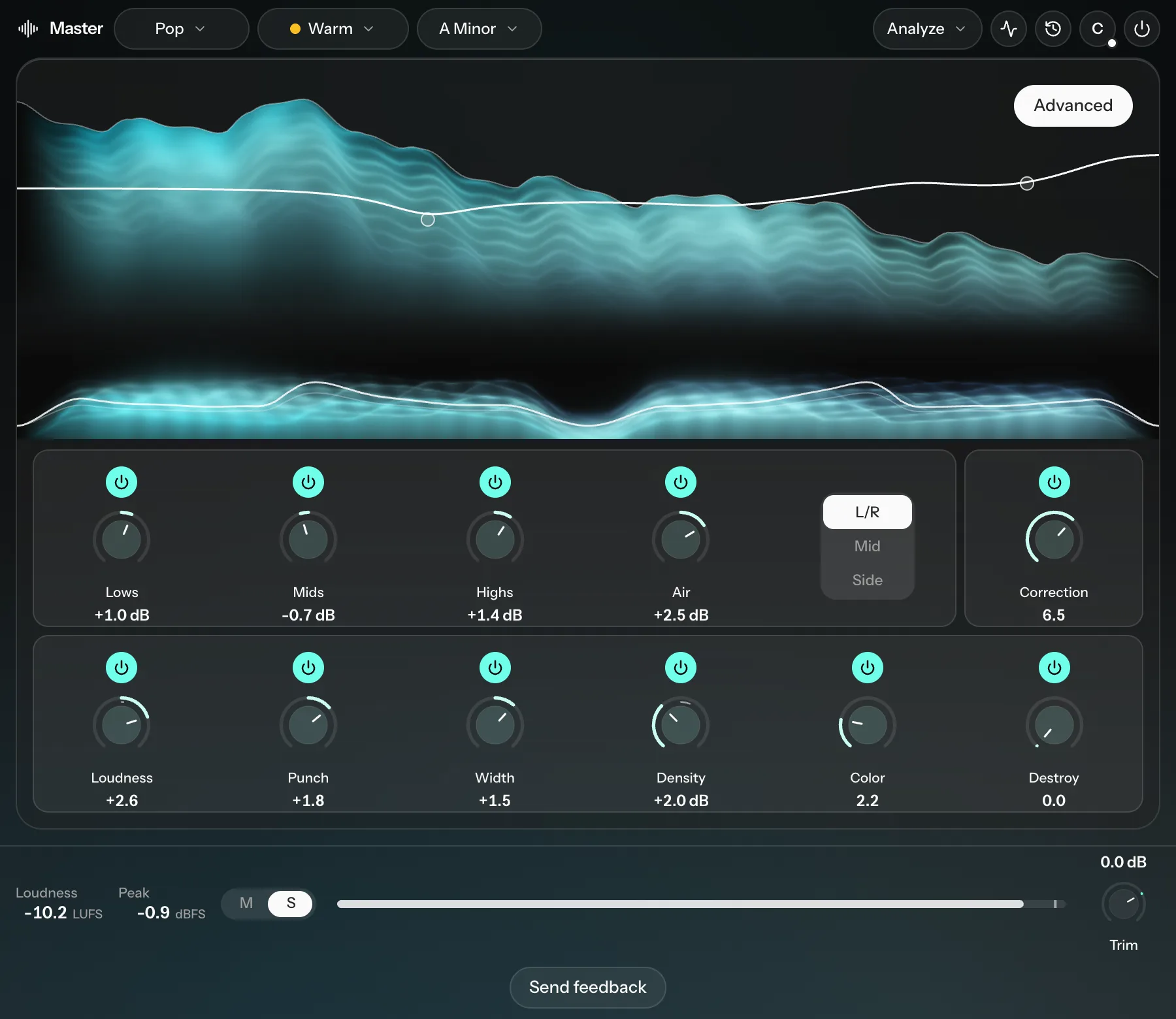
Each stage has a power button, so you can switch it off to compare.
| Control | What it does |
|---|---|
| Lows, Mids, Highs, Air | Tone bands. Choose L/R to EQ the whole mix, or Mid or Side to EQ only the center or only the sides. For example, cut mud or rumble from the sides while leaving the center alone. |
| Correction | How far the master is moved toward the tone curve measured from your mix (and your reference, if you've loaded one), from 0 to 10 (default 5). In its settings, Plot on EQ chart shows the match curve. |
| Loudness | Sets the target loudness. 0 is about -13 LUFS, the lowest setting about -16 LUFS and the highest about -8 LUFS. |
| Punch | Shapes the hits in the low end. Turn it up for more thump on the kick, down to soften it. |
| Width | Overall stereo width. |
| Density | An upward compressor: lifts the quieter parts so the master sounds fuller and louder. |
| Color | Saturation for the whole mix. |
| Destroy | Heavy distortion at the end of the chain. It makes the master louder than the target and ignores the ceiling (it stops at 0 dBFS). It suits some styles, such as hard electronic music or underground hip-hop. Use it with care. |
| EQ curve | Click the curve to add a node. It works the same as the Channel EQ. |
Stage settings
Loudness runs three stages: Glue (a compressor), Transient clip and Limiter, each with its own gain reduction meter.
- Output stage: Brickwall holds peaks at the ceiling. No ceiling lets them through.
- Transient clip: On or Off. It shaves off stray peaks so the limiter works less and sounds cleaner.
- Ceiling: -6 to 0 dB (default -0.5 dB). Lower it for extra headroom.
Transient clip and Ceiling only apply with Brickwall.
Punch: Punch below (40 to 300 Hz, default 160 Hz) sets the top of the low band Punch works on. Under Audition, choose Solo band to hear just that band, or Full mix.
Width: set the width of each band (Low, Low mid, High mid and High). Drag the crossovers on the chart to move where the bands split. Low starts at its lowest setting, which keeps the bass in mono.
Density: Lift below, Hold above, Ratio, Attack, Release and Focus. The readout shows how much it lifts, up to +8 dB.
Color: Type (Tube, Tape, Transformer or Console). Blend (100% by default) mixes in the dry signal for subtler warmth. Keep lows clean (20 to 300 Hz, default 120 Hz) leaves the lows below that frequency unsaturated, so kicks and bass stay clean.